


Finding information quickly can be challenging. Traditional search systems often struggle with the following limitations:
Understanding Context – Keyword-only searches often return irrelevant results.
Multilingual Support – Searching in one language may not surface relevant results written in another language.
Time-Consuming Queries – You need to manually refine searches to get the right answers.
To address these challenges, Bettermode provides AI-Powered Search and Ask AI—intelligent tools designed to help you find information faster, more accurately, and more intuitively.
AI-Powered Search in Bettermode transforms how you find information by combining semantic intelligence, keyword matching, and multilingual support into a seamless experience. Unlike traditional search engines that rely solely on exact word matching, AI-Powered Search understands context, intent, and language variations—ensuring you get relevant results even when you phrase queries differently or make typos.
Hybrid Search Engine – Combines semantic search (understanding intent) with keyword search (exact term matching) for accurate results.
Multilingual Capabilities – Search in any language and retrieve relevant content, even if written in a different language.
Typo Tolerance – Automatically corrects misspellings so you find what you need without frustration.
Intelligent Ranking – Uses AI to re-rank results based on relevance, prioritizing high-value discussions.
Real-Time Suggestions – Offers instant query suggestions as you type, reducing search effort.
Recent Searches – Displays your past queries, allowing you to revisit previous topics without retyping.
Trending Posts – Highlights popular discussions, updates, and FAQs from your community, making valuable content easier to discover.
Faster Information Discovery – Surfaces top community discussions, FAQs, and knowledge base articles instantly.
Improved User Engagement – Helps members find answers quickly, reducing repetitive questions and support workload.
Privacy & Security – AI-Powered Search and Ask AI use open-source models like LLaMA with all data processing occurring within Bettermode's infrastructure. No data is sent to third parties, keeping your community's information private and secure while adhering to strict data protection standards. Member data is never used to train, improve, or fine-tune the models.
AI-Powered Search is fully integrated and enabled by default—no setup required. Click the search bar, type your query, and experience instant, intelligent results powered by AI.

Ask AI is an intelligent search assistant that helps you find answers instantly. Instead of scrolling through multiple posts, Ask AI retrieves relevant information and provides concise, easy-to-understand responses.

✅ Smarter Search Results – AI understands the meaning behind your search, not just exact words.
✅ Instant Answers – Get direct, clear responses instead of long lists of results.
✅ Multilingual Support – Search in one language and retrieve results from posts written in other languages.
✅ Typo Tolerance – Ask AI understands misspellings and finds what you're looking for.
✅ Existing Content Integration – Uses posts, FAQs, and discussions already available in your community.
Ask AI is enabled by default for all admins and moderators in every community, regardless of plan. Only Growth and Premium plan customers can control whether members access Ask AI or disable it entirely.

Log in to the Admin Dashboard with admin privileges.
Go to Settings > Search in the Admin Panel.
Review AI-Powered Search – This feature is enabled by default for all communities and does not require activation.
Access Ask AI (Growth & Premium plans) – If you are on an Growth or Premium Plans, you will see the option to toggle Ask AI for members.
Customize member access (Growth and Premium only). You can:
Enable Ask AI for all members.
Restrict Ask AI access to admins and moderators only.
Disable Ask AI completely.
Click Save Changes to apply your settings community-wide.
Test Ask AI by running a few queries to verify AI-powered answers are working as expected.
To make AI-Powered Search and Ask AI more powerful and trustworthy, we've introduced several major upgrades:
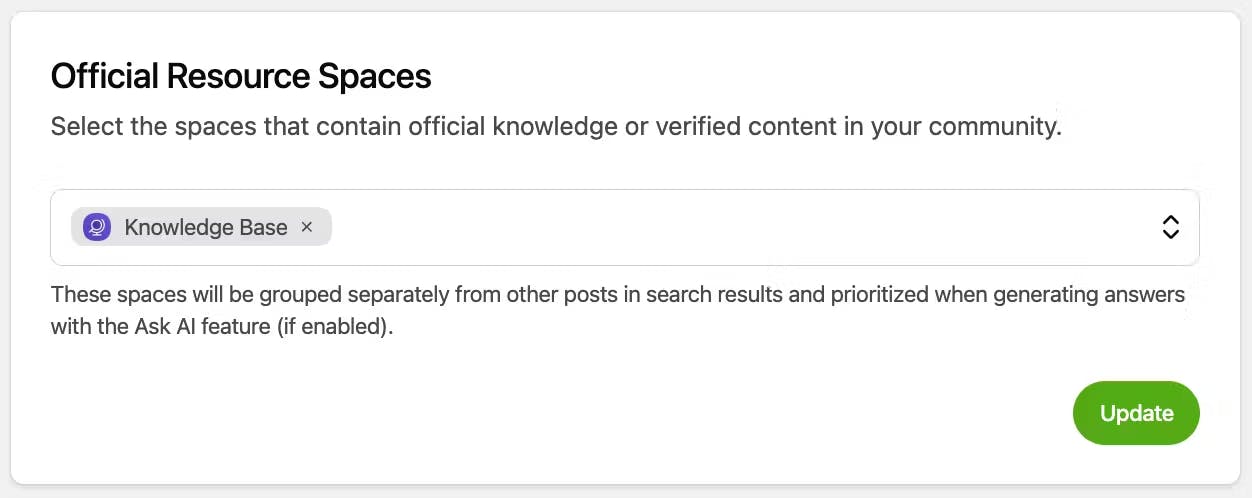
You can now designate trusted spaces like "Help Center" or "Product Docs" as official content sources. These spaces will:
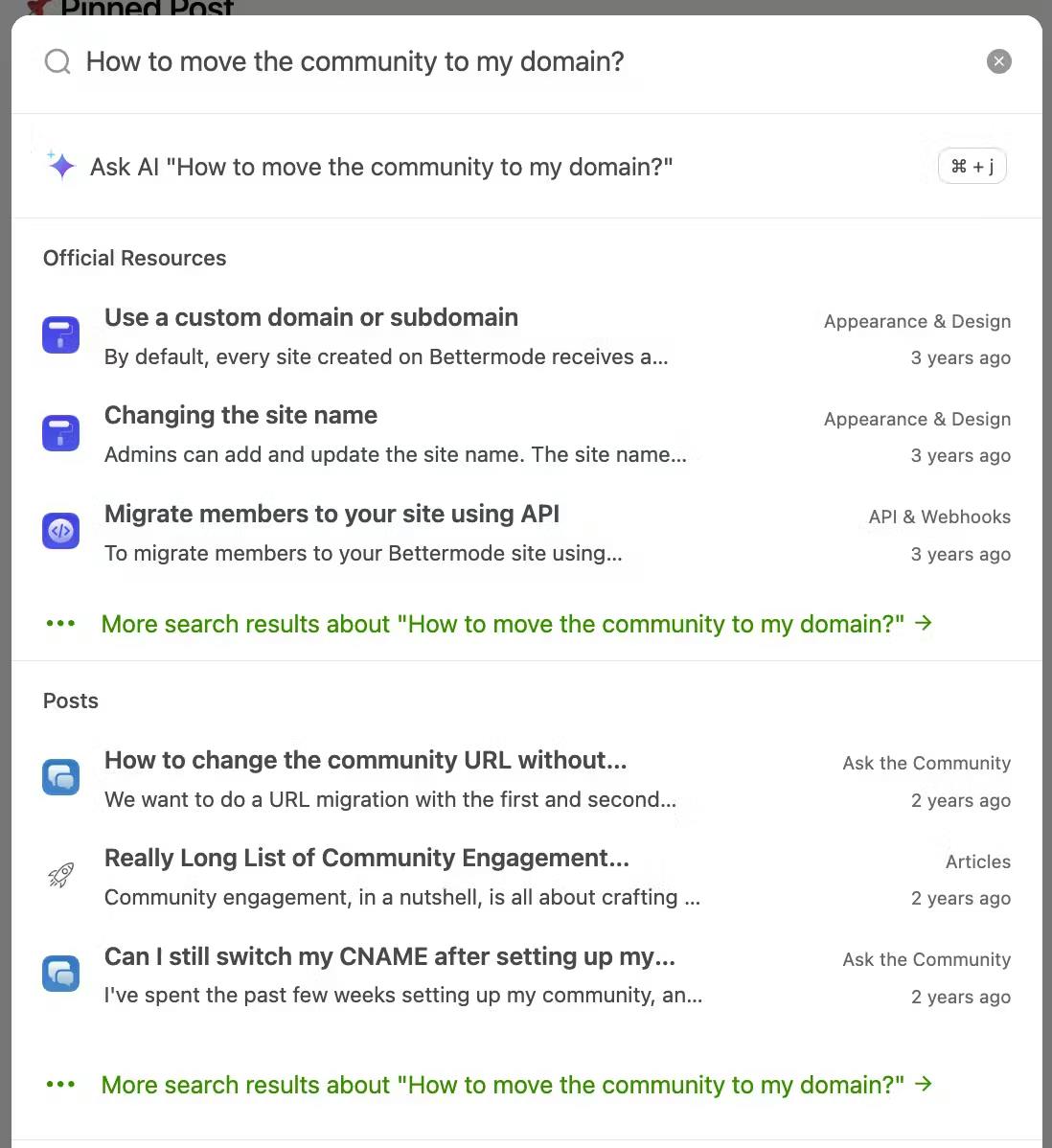
Appear in a clearly labeled section at the top of search results.
Be prioritized by Ask AI when generating answers.
This helps members instantly recognize and trust verified information.
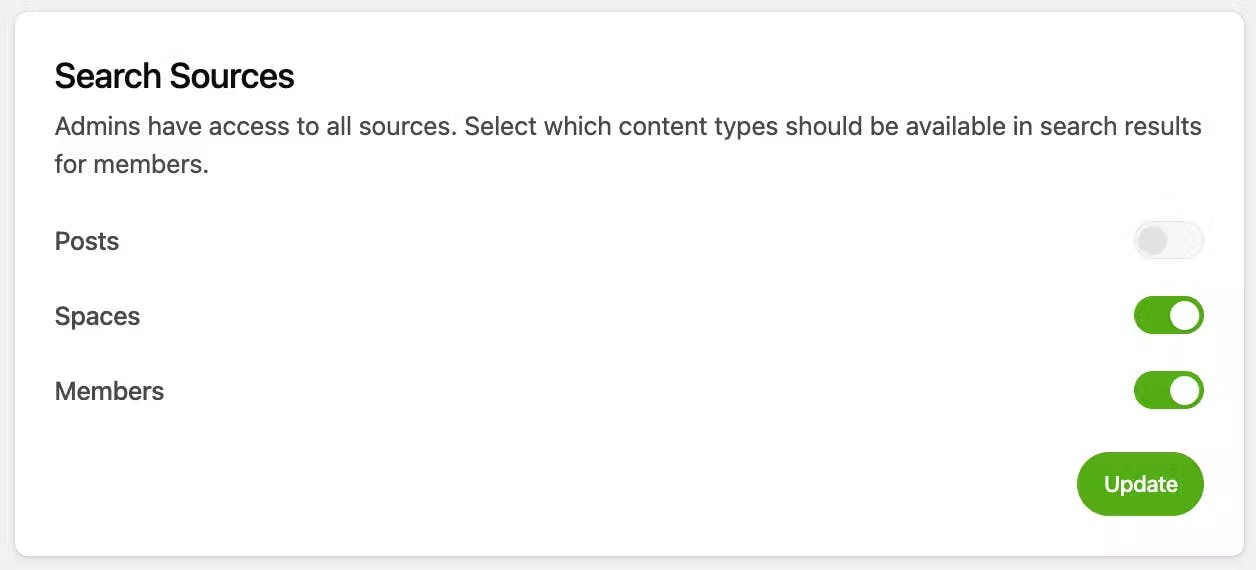
You now have full control over what appears in search results. Toggle the following sources on or off:
Posts
Spaces
Members
This allows you to streamline search results and remove noise based on your community's needs.
✅ Faster and Smarter AI Model – Ask AI now runs on a more advanced model.
✅ Improved Ranking – Better scoring logic for semantic relevance.
✅ Tag + Title Indexing – Smarter prioritization based on post structure.
✅ Federated Search – External content sources can now enhance Ask AI (if enabled).
✅ UX Enhancements – Faster keyboard navigation and smoother loading experience.
✅ AI Answer Refinement – Bettermode's federated AI search now uses only sources you define as context.
Go to Menu > Administration > Settings > Search.
Define Official Resource Spaces.
Customize Search Sources visibility.
Save changes and test with Ask AI or regular searches.
Your search experience is now smarter, and so is your members'.
Plan
AI-Powered Search
Ask AI for Staff
Ask AI for Members
Starter
✅ Yes
✅ Yes
❌ No
Growth and Premium
✅ Yes
✅ Yes
✅ Yes
Growth and Premium plan customers can enable Ask AI for all members or disable it entirely.
Starter plan customers have access to AI-Powered Search but not Ask AI for members.
Type your question in the search bar.
Ask AI provides a direct response at the top of the results.
Browse additional community posts if you need more information.
