Memberful is one of the OAuth2 SSO methods supported by Bettermode. Learn more about OAuth2 SSO and other OAuth2 SSO methods available.
Memberful gives creators and entrepreneurs the tools to monetize their sites, SaaS products, or online communities with memberships. By integrating Bettermore with Memberful using Single Sign-On (SSO), you can provide your users with a seamless login experience without requiring them to create separate Bettermode accounts.
With this integration, your users will log in with their Memberful credentials instead of creating a Bettermode account.
Required credentials for setting up Memberful SSO
You'll need the following information to set up Memberful SSO:
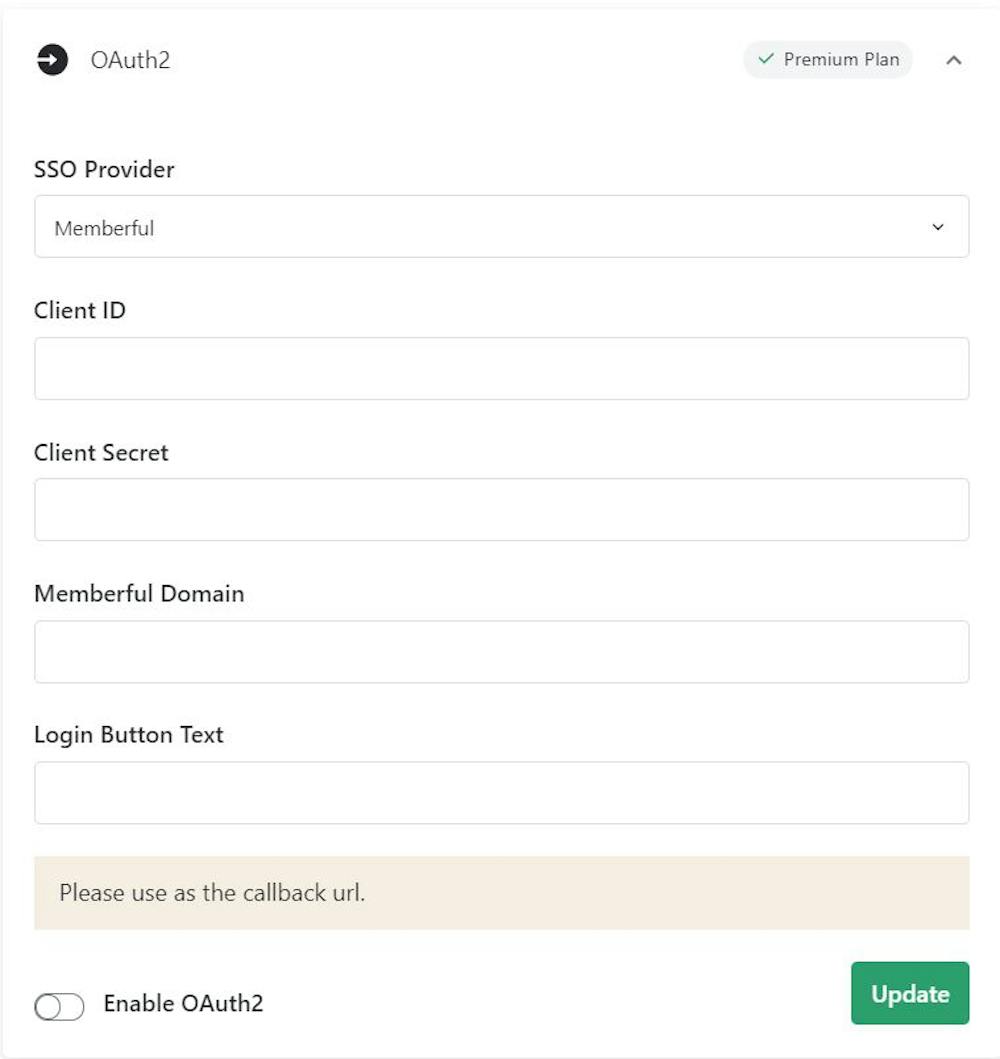
Client ID: An alphanumeric string that identifies your application to the Memberful API. This is also used to build authorization URLs presented to users.
Client Secret: A secret known only to your application and Memberful's authorization server. It protects resources by granting tokens only to authorized requestors.
Memberful Domain: The domain URL of your Memberful SSO provider.
Login Button Text: The text that appears on the login page for your users. You can customize this to any text you prefer (for example: "Login with SSO").
OAuth Redirect URL: The URL where users are redirected after authentication completes.
How to find your Memberful credentials
Follow these steps to retrieve your Memberful Domain, Client ID, and Client Secret:
Visit your Memberful admin page at https://[yourdomain].memberful.com/admin.
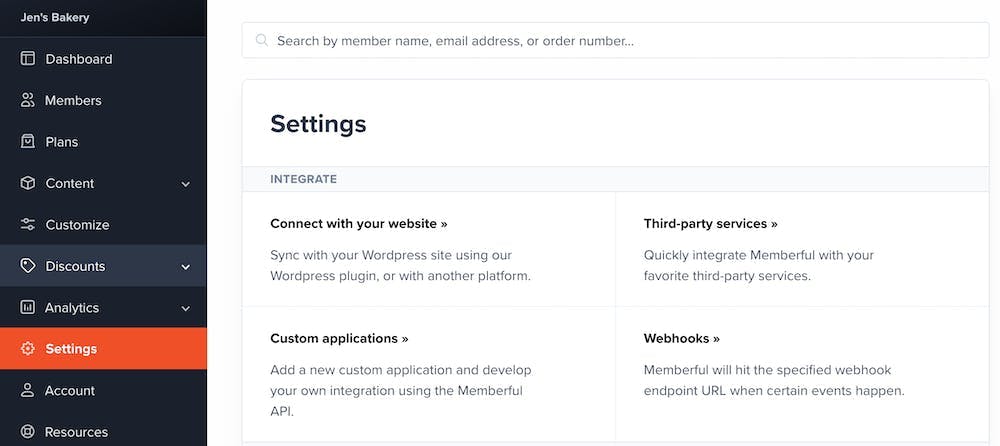
Click Settings > Custom Applications and wait for the page to load.
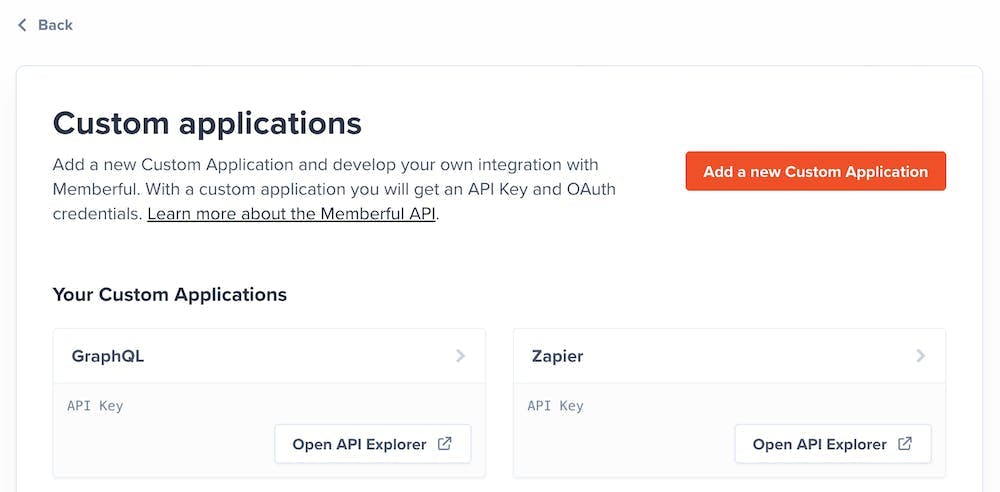
Click Add a new Custom Application.
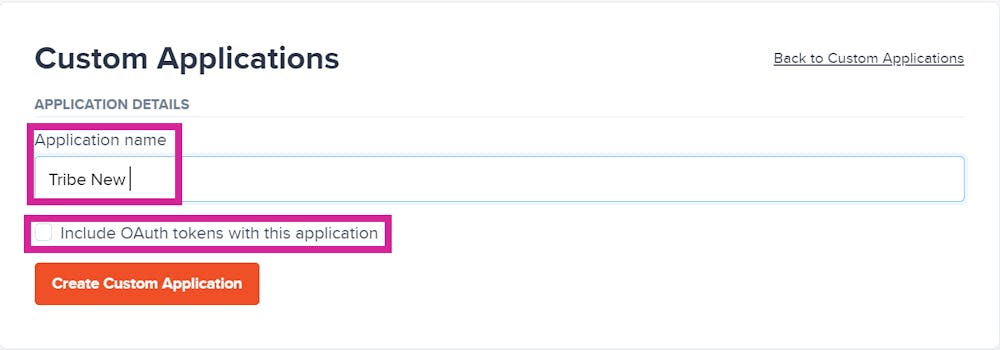
Enter an Application name (for example: Bettermode) and check the box next to Include OAuth tokens with this application.
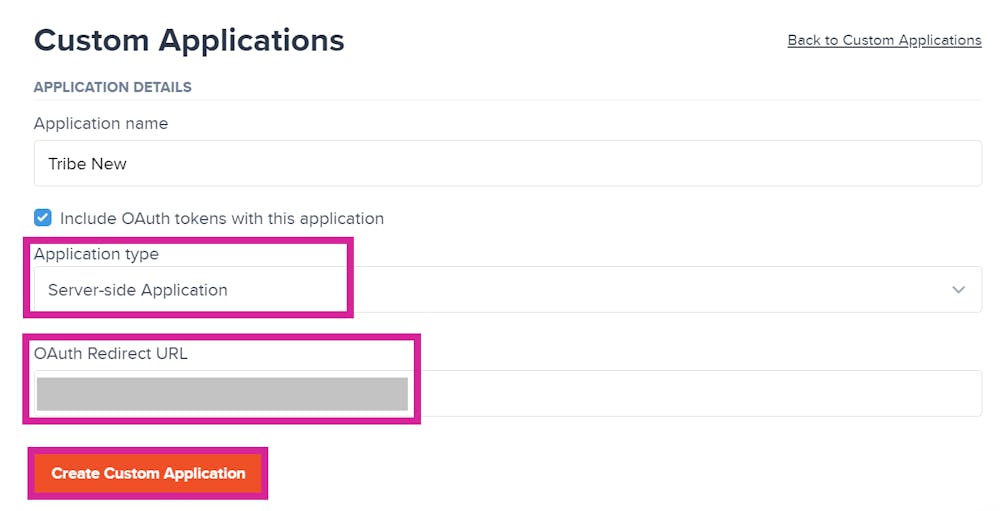
Once you check Include OAuth tokens with this application, you'll see options to select Application Type and add an OAuth Redirect URL. Select Server-side Application as your Application Type.
Enter your OAuth Redirect URL. This will be your Bettermode community URL appended with /ssos/redirect.
Example: Community URL: https://community4.blogha.com OAuth Redirect URL: https://community4.blogha.com/ssos/redirect
Click Create Custom Application. Your Client ID (Identifier) and Client Secret will now be available for you to copy.
Note your Memberful Domain URL in the format: https://[your-subdomain].memberful.com/
Set up OAuth2 SSO using Memberful
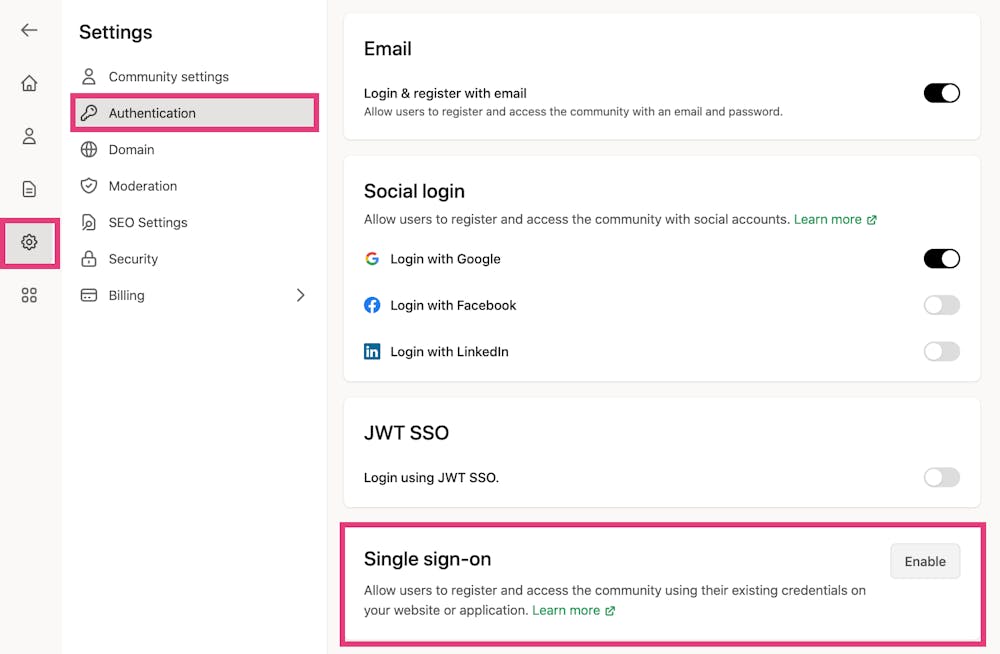
Log into Bettermode with your admin account. Click your profile picture in the top-right corner, then navigate to Administration > Settings > Authentication and click Enable Single sign-on.
Select Memberful as your SSO Provider and fill in all required information from the previous section. All fields are mandatory.
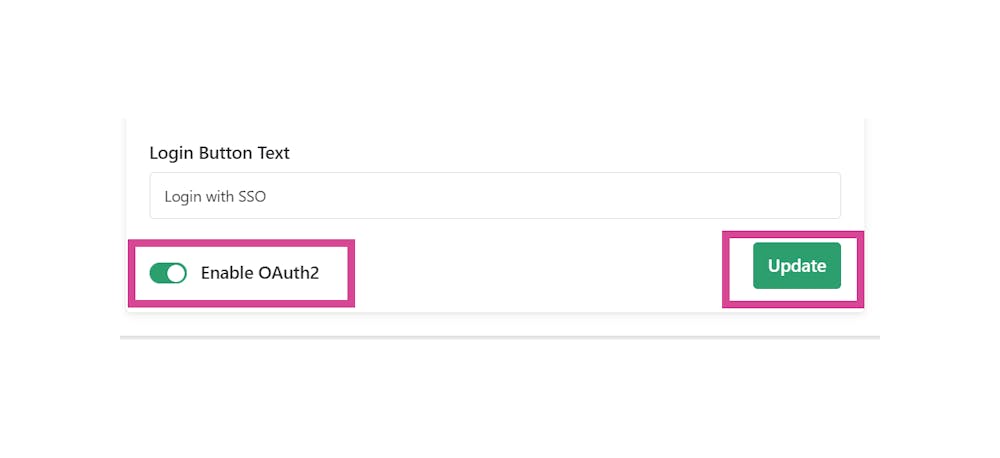
Once all fields are complete, toggle the Enable OAuth2 switch and click Update.
Visit your Bettermode community URL and click the login button. You'll be directed to the Memberful login page where you can authenticate using your Memberful credentials.
Congratulations! Your OAuth2 SSO integration is now active.
Login & register with email
If you want members to be directed to the Memberful SSO provider page when they open your site, you should disable the email login option.
To disable this option:
Click your profile picture in the top-right corner.
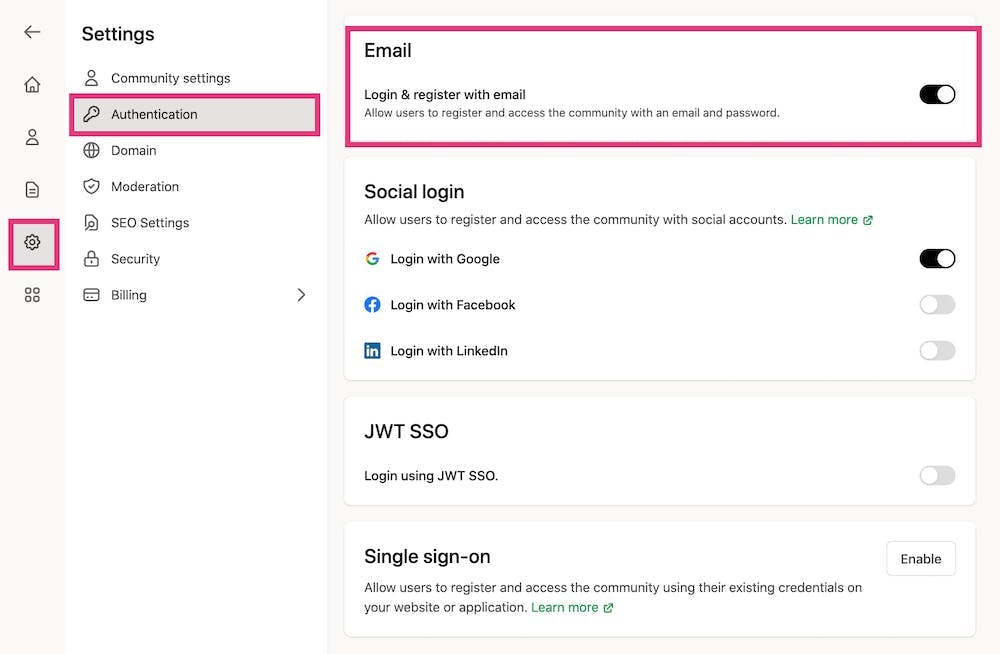
Go to Administration > Settings > Authentication.
Turn off the toggle for Login & register with email.
Once disabled, users will no longer see the option to sign up or log in using their email and password.