


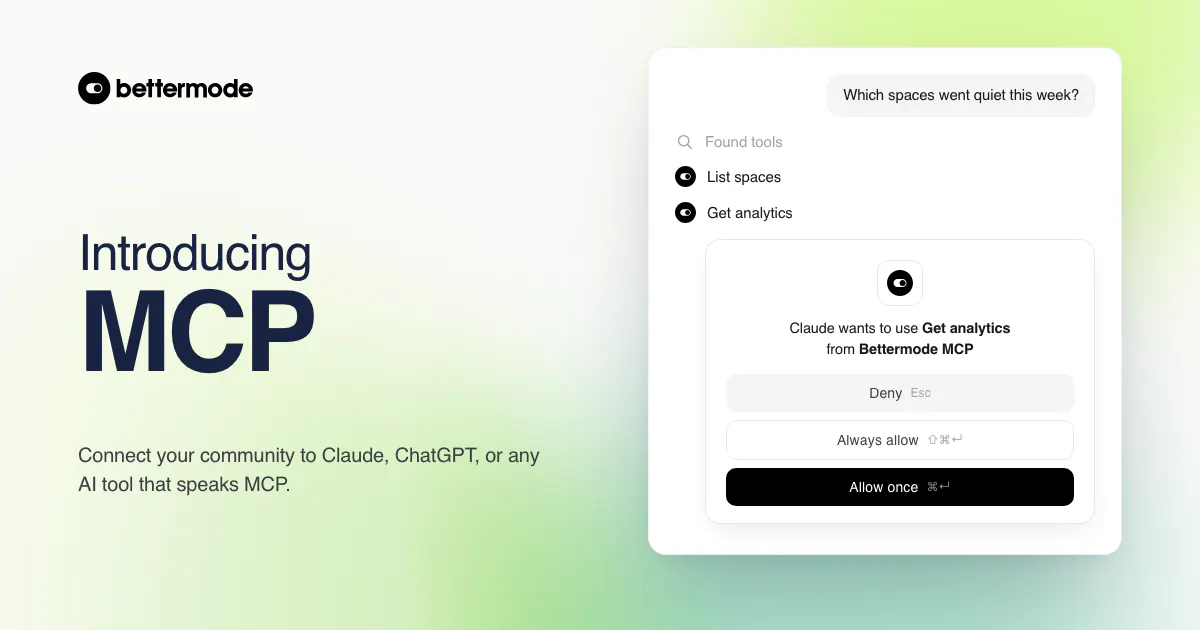
The Bettermode MCP server is live on every plan. Connect your community to an AI tool and you can ask it questions in plain language, then let it act on the answer with your approval. Here's what it does and how to switch it on.
MCP is an open standard that lets AI tools connect to other products. Anything that speaks it can connect, so this is not a Claude integration or a ChatGPT integration, it is one connector that serves all of them. Once you've connected your community, you stop clicking through dashboards to find things out and just ask.
"Which spaces had no new posts in the last 7 days?" Your AI tool calls the Bettermode tools it needs, reads the answer out of your community, and tells you. Same for "who joined this month and hasn't posted yet", or "how did engagement trend last quarter". There are eleven read tools covering spaces, posts, members, badges, post types, and analytics, and your AI tool picks the ones the question needs.

Ask for a chart and you get one, drawn in the conversation rather than exported from a dashboard.

Reading is half of it. A read and write connector can also publish a post, send a direct message, assign a badge, add existing members to a space, or hide a post.
Every one of those asks you first. Your AI tool shows you exactly what it's about to do and waits for your OK, per action, so a request like "message each of the 12 quiet members" surfaces twelve approvals rather than one blanket yes. It's slower on purpose. You keep the final call on anything that shows up in your community.

The MCP server is admin only, and we left the destructive tools out of it on purpose. It can't delete spaces, members, or your community, and it can't flip a space from public to private. Hiding a post is the strongest moderation action available, and you can unhide it.

One thing to know going in: every action runs under a real member identity. Posts and messages created through your AI tool appear as the admin who set the connection up, not as a bot. Ask your AI tool to call bettermode_whoami any time you want to confirm which member you're acting as and whether the connector is read only or read and write.
Bettermode routes MCP requests to the API in your community's region, so EU community data never passes through a US process on our side. US communities connect through mcp.bettermode.com and EU communities through mcp.bettermode.de, and the URL you copy already points at the right one.
Worth being straight about the other half: whatever your AI tool reads leaves Bettermode at that point. The AI tools themselves are third party services and most are hosted in the US.
If you want prompts to paste in on day one:
- "What happened in the community this week?" gets you a digest worth pasting into a standup.
- "Who joined in the last 30 days and hasn't posted yet?" before you write the re-engagement email.
- "Is there any spam from the last day? Hide it." as a morning sweep.
- "Who replied the most in Product feedback this month?" when you're deciding who to recognize.
The first one is read only, so it costs you nothing to try before you ever hand over a write scope.

Go to Administration > App store > MCP and copy your community's connection URL. That's the whole job on our side, there's nothing to generate.
The rest happens in your AI tool. Go to Settings > Connectors > Add custom connector, paste the URL, and authorize it. The scope lives in that authorization step, so read only or read and write is a decision you make in the auth flow rather than on the Bettermode side.
Once you're connected, we'd set the read tools to always allow and leave every write tool on needs approval. That's the setup that makes this pleasant to use without ever letting it surprise you. You can revoke access from the same MCP page whenever you want, and the AI tool disconnects immediately.
MCP is available on all plans. Starter gets 10 MCP requests per day per connector. Growth and Premium are unlimited within the standard API rate limits. Analytics queries cover up to 186 days at a time, and list tools return 50 items per page, so a long-range question may take your AI tool a few calls.
Full setup steps, the complete tool list, and troubleshooting are in the MCP guide.
MCP is the piece of this summer's release that's hardest to describe and easiest to get once you watch it work, so I'm demoing it end to end at the Summer Product Update on Thursday, August 27 at 2:00 PM ET. Real connector, real community, including the write path and what the approval step actually looks like when it stops you.
Bring the question you'd want to ask your own community and I'll try it live in the Q&A. RSVP below, and the recording goes out afterward if you can't make it.
This is v1, and the tool list is where it'll grow first. Connect it, point it at something you'd normally do by hand, and tell us in the replies what it couldn't reach. That's the feedback that decides which tools we add next.

