


Use the Custom Code Snippet App to add custom code for site customization or to integrate with third-party analytics, messaging, and tracking tools.
⚠️ Important: Custom code can conflict with your site's underlying code and cause user experience issues. You should have coding knowledge before adding custom code.
You can only add HTML and JavaScript code with the Custom Code Snippet App.
You cannot integrate server-side languages such as Perl, PHP, Python, or Ruby in any code section.
Scope Limitation: Custom code modifications fall outside the Bettermode Support Team's scope. Because custom code can cause site issues, support may ask you to remove custom code during troubleshooting.
Note: Include opening and closing tags when adding embeddable code. The Custom Code Snippet App does not validate added code—for example, if you add a meta tag in the body section, the app will not throw an error.
The <link> tag defines a link between a document and an external resource. Always place this tag in the <head> section.
The <meta> tag provides metadata about your site. Always place this tag in the <head> section.
The <script> tag embeds JavaScript in your site. You can place this tag in either the <head> or <body> section.
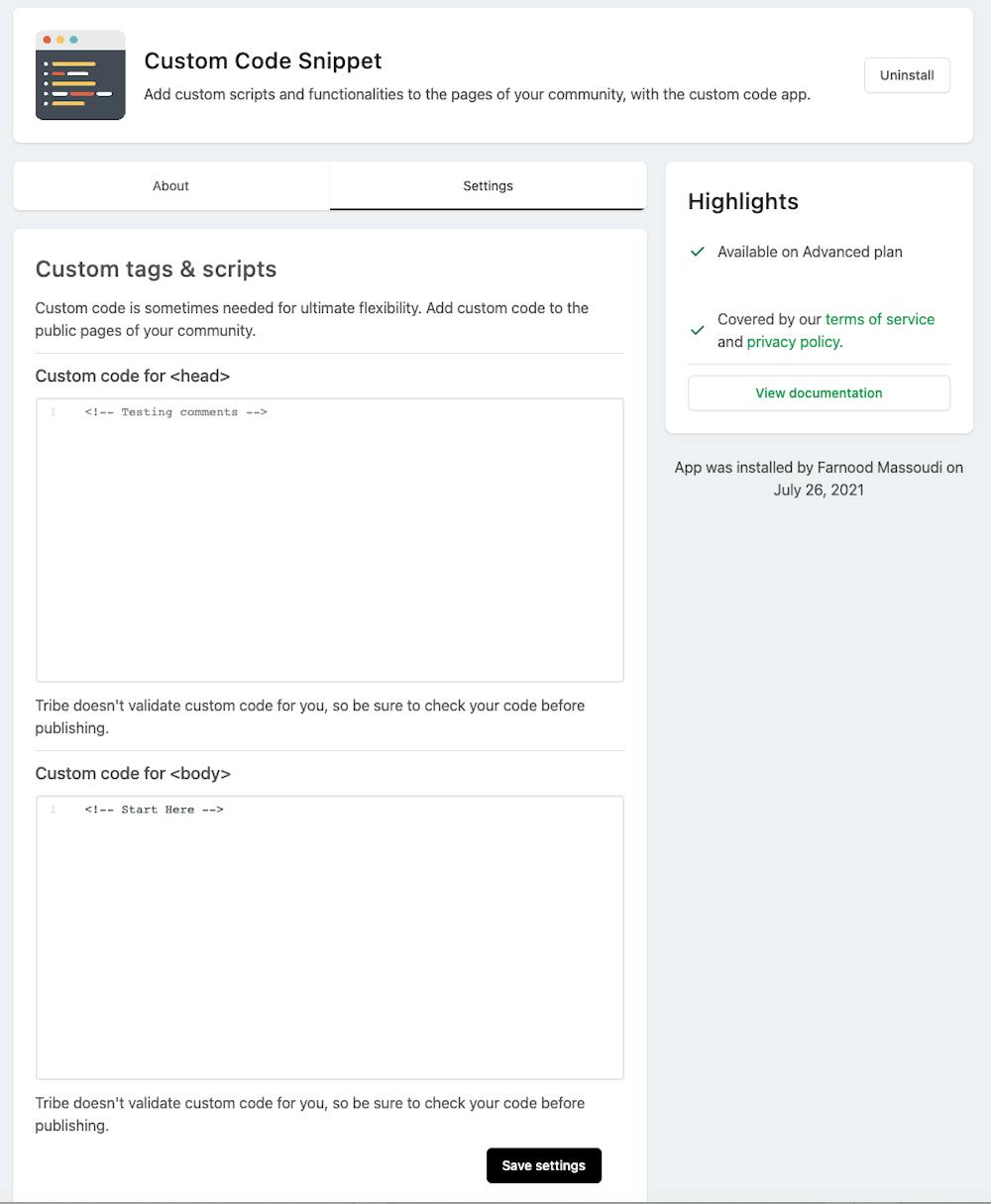
Custom Code Snippet App interface
⚠️ Important: If you add third-party cookies using the Custom Code Snippet App, they will not be compatible with Bettermode's Cookies Consent App. Learn more about the Cookies Consent App.
