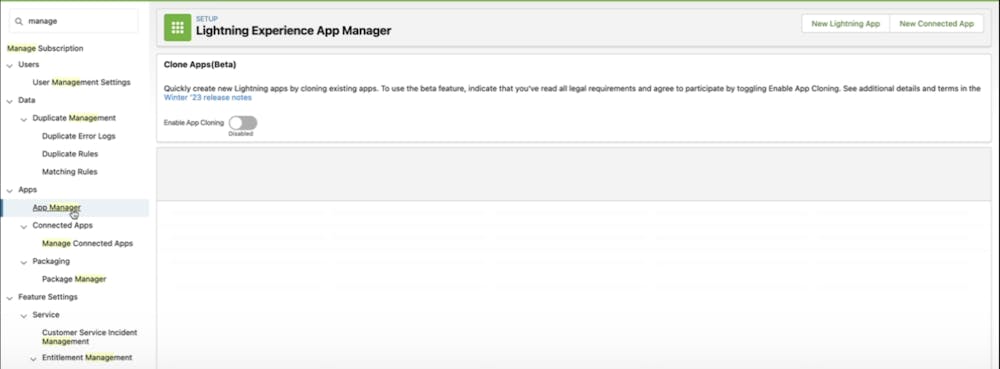
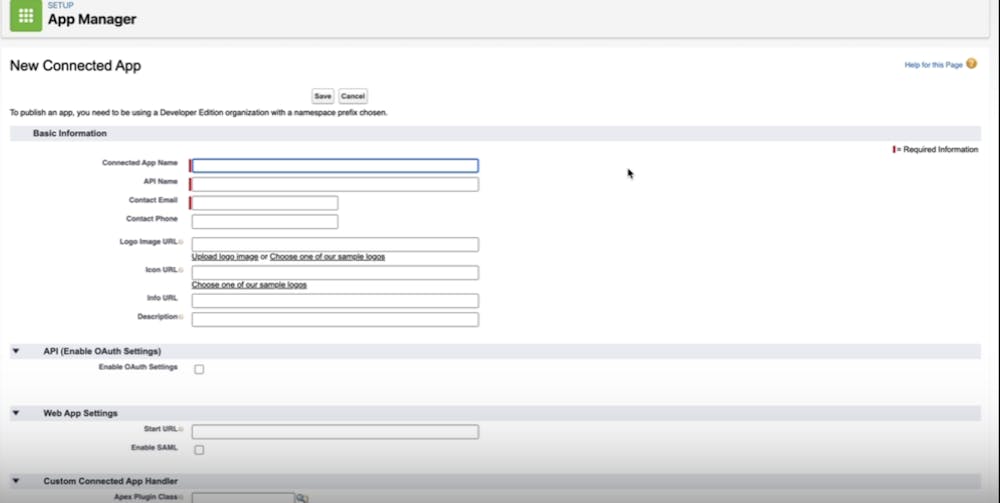
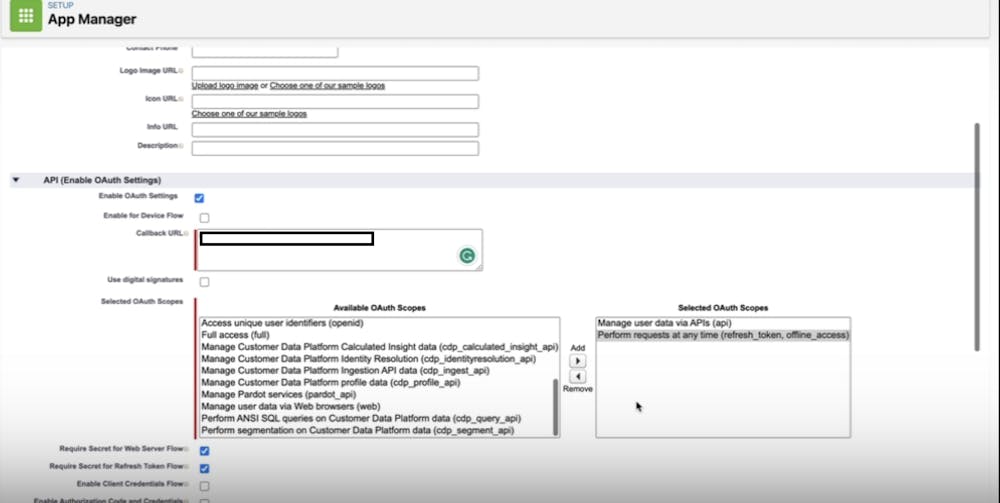
Integrate with Salesforce Integrating Bettermode Site with Salesforce enables you to: Gain deeper insights into site engagement Create cases directly from within the Bettermode Site platform Search for related content within the Bettermode Site Suggest content from the Salesforce knowledge base Prerequisites Before you begin, you need: Admin access to Salesforce Admin access to Bettermode A callback URL to add in Salesforce (provided in the steps below) Consumer Key and Consumer Secret (obtained during setup) https://www.loom.com/share/a1d266d0569340a1b9c4fe4d6e7c53bf Integration Steps Log in to your Bettermode account and navigate to Apps. Click Salesforce and follow the prompts to install the Salesforce App. After installation, click Connect under "Your Authorization". Select the correct environment in the next prompt and keep this prompt open — you'll need it in later steps to complete the connection. Click the gear icon in the upper-right corner and select Setup. Search for Manage on the left sidebar and click App Manager under Apps. Click New Connected App in the top-right corner. On the New Connected App page: Enter a name for the app. Press Tab to auto-fill the API name. Enable OAuth settings: Check the box next to Enable OAuth Settings. Enter the callback URL: https://salesforce.bettermode.app/oauth/callback Add the following scopes: Manage user data via APIs (api) Perform requests at any time (refresh_token, offline_access) Click Save & Continue and wait 10 minutes for Salesforce to process the connected app. After 10 minutes: Click Continue. Complete 2-factor authentication. Copy your Consumer Key and Consumer Secret. Return to the Bettermode Site prompt you kept open in step 4 and fill in these credentials. The integration is now complete. Your Bettermode Site is connected to Salesforce. Video Tutorial For a complete walkthrough of the setup process, watch this video: https://www.loom.com/share/a839a6d03cd045ce878612459912cc56 Related Articles Granting Access to Exported Data: Bettermode Site and Salesforce Integration Create Salesforce Cases from the Bettermode Site Exporting Data from Site to Salesforce