


After successful integration between Salesforce and Bettermode Site, the following three data objects are accessible:
Bettermode Community Members
Bettermode Community Activities
Bettermode Community Posts
Once data is exported, follow these steps to allow your existing Salesforce users to view the data objects:
Log in to Salesforce with admin privileges.
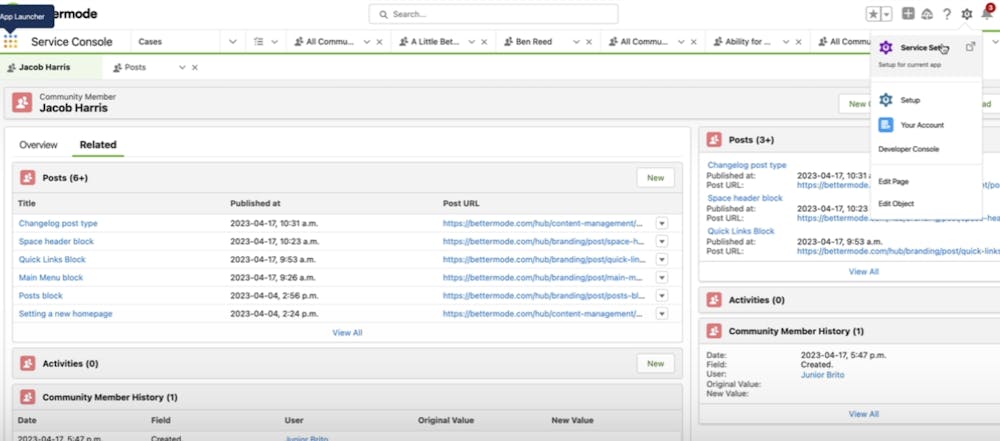
Click the gear icon in the upper-right corner and select Setup.
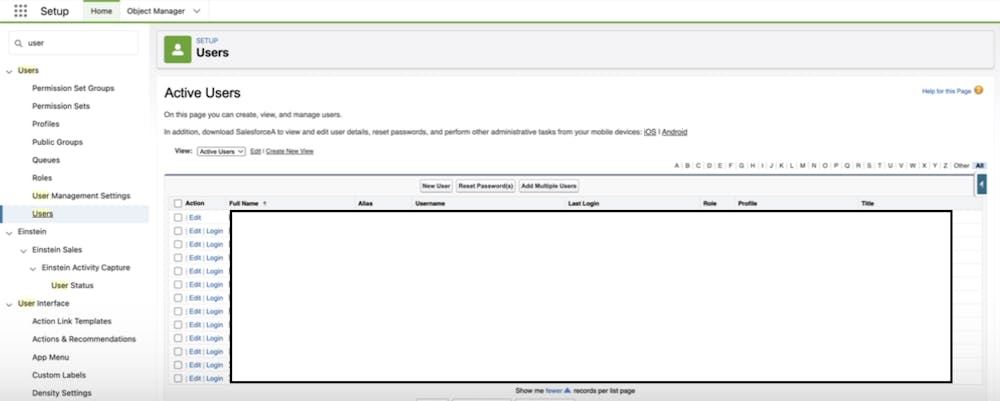
In the Quick Find box, search for and click Users. The Users list opens.
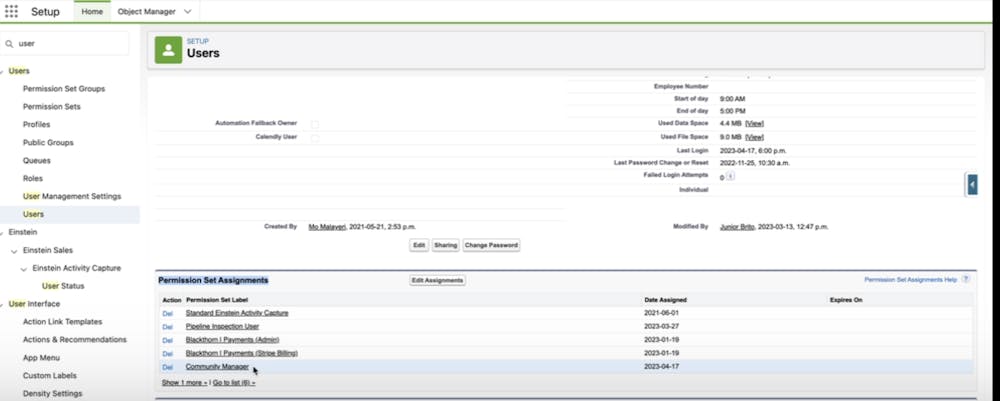
Click the user profile you want to grant access to. Scroll down to Permission Set Assignments and click Edit Assignments.
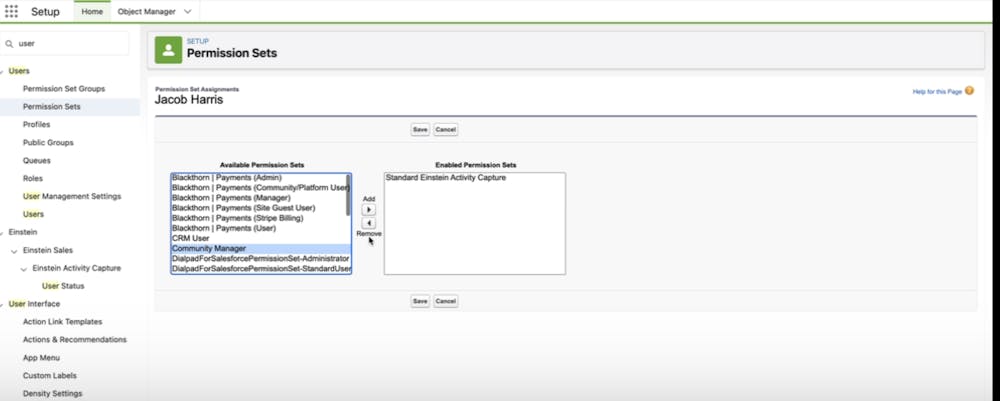
Under Available Permission Sets, select Bettermode Salesforce 360 User and click Save.
To verify access has been granted, use the Quick Find box to search for and click on one of the following data objects:
Bettermode Community Members
Bettermode Community Activities
Bettermode Community Posts
If access is set up correctly, you now have access to these objects.
