


Combine HubSpot's powerful CRM platform with your Bettermode site to sync member properties and activities with HubSpot contacts, run targeted campaigns, and boost customer engagement.
The HubSpot app is available on Growth and Premium plans only. Contact the sales team for more information. Learn more about Bettermode's pricing and plans.
Each site member receives a corresponding contact in HubSpot. Bettermode creates a new contact if one doesn't already exist in HubSpot. You can toggle this functionality on or off in your app settings.
When contact syncing is enabled, Bettermode sends the following information to each HubSpot contact in addition to default HubSpot fields:
Member creation time
Member ID
Name
Tagline
Site profile URL
Site member activities are logged in the HubSpot contact activity timeline. The following activities are tracked:
Member joined the site
Post published
Replies published
Member joined space
Member left space
When members join or leave Spaces, the membership data syncs to a HubSpot contact property called "Spaces." You can use this field alongside other HubSpot contact properties to create dynamic lists and segment members by their Space memberships.
Install the app from your Bettermode app library. Learn how to install an app.
After installation, open the app settings and click Connect HubSpot.
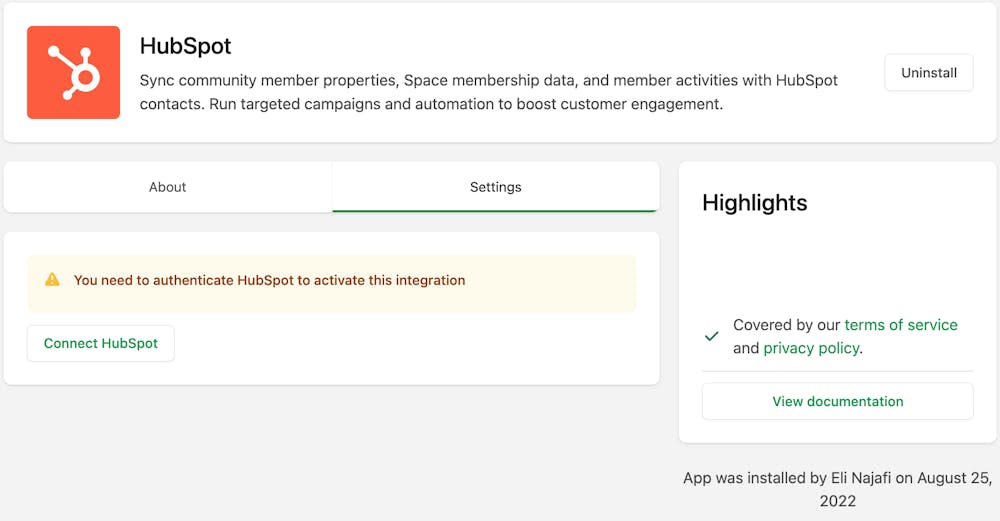
You'll be directed to your HubSpot account to select your site and set permissions. After setting permissions, you'll return to your Bettermode app settings to configure the following options:
This setting determines the prefix and category for all properties your site sends to HubSpot.
⚠ Important: You cannot change the category name after initial setup. To use a different category name, you must uninstall and reinstall the app.
Off: Bettermode updates only existing contacts in HubSpot.
On: Bettermode creates new contacts in HubSpot if they don't already exist.
⚠ Important: When you first activate the HubSpot app, it does not automatically create contacts for all existing site members. Contacts are created only when a member updates their profile or performs an activity on the site. To sync all existing members to HubSpot, export your members list and import it manually to HubSpot.
On: Site member activities are recorded in HubSpot for each member.
Off: Site activities are not sent to HubSpot.
Click Submit to complete the HubSpot integration.
For a step-by-step walkthrough, see our Product Updates space.
How to integrate other apps with Bettermode using the Zapier app
How to customize or integrate your site using the Custom Code Snippet app
How to track user activities using Bettermode's Amplitude app
How to receive Slack notifications for site activities using Bettermode's Slack app
How to automate email campaigns for your site using Bettermode's Mailchimp app
