The 13 best online community platforms in 2026, compared on real pricing

A community platform is software that lets a business build, brand, and run an online space where customers or members can talk to each other, get help, and connect with the company itself. Discussion boards, Q&A, a knowledge base, events, and member profiles sit under one roof, tied into the tools you already run, like a CRM or support desk. People also call this community software, and the two terms mean the same thing.
The market split hard in the last two years. One side is built for creators and course sellers who want to launch fast and monetize a following. The other is built for companies that need a customer community wired into sales and support data, with the security posture procurement will actually sign off on. Most lists of the top online community platforms blur the two together and rank whoever has the biggest affiliate program, not whoever fits the reader's actual job.
This guide compares 13 platforms on price, features, and fit, with real 2026 numbers for each. We built Bettermode for the second group (B2B SaaS companies running a customer or support community), so that's the lens here. Where a creator tool is genuinely the better call, we say so. If you're choosing an online community platform for the first time, the features section below is a faster route in than the vendor list.
What is a community platform?
A community platform is the software layer for an online community: the discussion threads, the Q&A, the events calendar, the knowledge base, and the profile a member builds up over time. Some platforms lean toward open discussion forums. Others lean toward paid courses and content. The best ones for a business let you brand the whole experience and connect it to the systems you run the rest of the company on, so community activity shows up next to a support ticket or a deal instead of living in its own silo.
For a B2B SaaS company, that connection is the point, and it's the one thing most community features can't make up for if it's missing. A community that can't tell you which members are also paying customers, or feed a resolved question back into your knowledge base, is a nice-to-have side project. One that can becomes a real channel for support deflection, retention, and product feedback.
It's worth separating this from a social channel. A Facebook or LinkedIn group lives on social media platforms you don't control, where you rent the audience and inherit the moderation rules. Both are digital spaces, but only a dedicated community platform is infrastructure you own. That distinction is the whole reason community builders eventually migrate off social media groups once community building starts to matter to the business, and why community members behave differently somewhere that belongs to your brand.
The split between the two markets is the single most useful thing to understand before you start comparing products.
Key features to look for in an online community platform
Feature grids blur together fast, so it helps to sort by what actually changes the outcome. Every vendor of online community software claims all of these. These are the community features worth weighing before you get to price.
The rest of this section is what to actually look for behind each of those ten.
Spaces and discussion structure. Most community platforms organize content into community spaces: separate areas for discussion forums, Q&A, announcements, or a single product line, each with its own permissions and posting rules. The real question is whether you shape that structure yourself or inherit a fixed layout. A support community and an ideation board want different defaults.
Knowledge base and resource libraries. A resolved question only pays off if the next person can find it. Look for a genuine knowledge base and resource libraries that stay searchable months later rather than a chat log that scrolls away. This is the line between community software that helps reduce support costs and community software that just adds another channel to monitor.
Member profiles and member management. Profiles, roles, and segmentation are how you tell a trial user from a ten-year customer. Solid tooling here also means bulk actions, import tooling, and a clean member data export, which matters far more than it sounds the first time you migrate.
Engagement tools. Badges, reputation points, leaderboards, and challenges are the engagement tools that turn readers into active members. They're easy to overdo. Used well, they reward the handful of people already answering questions and give a newcomer a reason to post for the first time. Most community members join and read for months before they ever post, so member engagement is the metric every other number downstream depends on.
Events and live formats. If your plans include AMAs, office hours, user groups, or in person events with a signup page, check whether you can host live events natively or need a third-party tool bolted on beside the community. Creator-focused products tend to be strongest here, because live formats are what sells a membership.
Private messaging and peer support. Not every conversation belongs in public. A direct thread lets members take things sideways, and it's the substrate for peer to peer support, where customers answer each other without your team in the loop. Community members who help each other are the cheapest support you will ever have.
Branding, domains, and mobile. Can you run the community on your own domain, match your product's design with custom branding, and ship your own branded app? A branded mobile app, meaning real iOS and Android apps rather than a mobile web view, is close to table stakes for a consumer membership and usually unnecessary for a B2B support community. A custom domain matters to nearly everyone. Weigh the rest against what your members actually do rather than against the feature grid.
Integrations with other tools. This is where an integrated community separates from a second silo. Native connections to a CRM, a help desk, and your analytics stack mean community activity lands next to deal and ticket data. Without them, you have bought a system nobody reconciles. No community is genuinely an all in one platform, so what matters is which other tools it talks to.
Courses and monetization. If the model is a paid membership or an online course business, course creation and payments need to be native. Products built for educational communities let you sell courses without a separate checkout and handle online courses well, as they should. Products built for customer success generally don't, and shouldn't.
Security and compliance. SOC 2 Type II, SSO, data residency, and audit logs decide whether procurement signs. In a regulated industry this is the first filter rather than the last. Teams comparing private online community platforms for internal or customer-only use should treat it as the opening question.
No product wins every row. A great community platform for a course business can be the wrong community solution for a support team, which is why the right online community platform depends on the two or three features your community strategy actually rests on. The most connected communities we see belong to teams that picked for integrations first and lived with a compromise somewhere else. Sort by what you can't compromise on, then compare.
Newer to this list: AI agents that take on the day-to-day work, such as routing unanswered questions, welcoming new members and reviewing posts, with a person approving what goes out.
The best online community platforms in 2026, compared
The best community platforms in 2026 split cleanly along the creator and B2B line, and the table is ordered with that in mind. Prices are current as of July 2026 and change often, so check each vendor's pricing page before you commit to a plan.
Price alone sorts the market almost as cleanly as feature sets do.
1. Bettermode: best for B2B SaaS customer communities
Bettermode is built for B2B SaaS companies that want a customer or support community wired into the rest of the business, not a bolt-on forum. The platform combines discussions, Q&A, a knowledge base, and events in spaces you design yourself, then connects that activity to your CRM so community engagement shows up next to deal and support data.
The Design Studio is a no-code, drag-and-drop builder for layouts, navigation, colors, and typography, so the community looks like your product instead of a hosted forum. Native integrations cover HubSpot, Salesforce, Zendesk, and Intercom through the App Store, along with Amplitude and Mailchimp. Spaces for Q&A, discussions, ideation, articles, and events each carry their own permissions and posting rules, and teams that want to build on top of the platform rather than around it get a GraphQL API and webhooks through the Developer Portal. On the compliance side, Bettermode carries SOC 2 Type II certification, SSO through JWT, OAuth 2.0, or SAML, and data residency options, and there's no per-transaction fee on any plan.
What that looks like in practice is a Q&A thread where whoever answers can see the account behind the question:
Starter runs $149/month billed yearly, or $199 month to month, and covers up to 10,000 members and 5 collaborators with self-service setup, chat and email support, and a 14-day free trial. The Growth plan is $1,500/month yearly, $1,750 monthly, and adds onboarding and migration support. Premium is custom pricing with a dedicated CSM, SLA, and security review. It fits B2B SaaS companies that want a branded customer community connected to their CRM, with the compliance certifications procurement will ask for.
One comparison comes up often enough to call out directly: why teams pick Bettermode over Circle. An IT operations platform we work with evaluated Circle first and found it felt like an isolated experience disconnected from their sales and CS tools, then chose Bettermode for the native HubSpot integration that ties community engagement to deal data. A developer-tools company growing over 50% year over year needed the customization and API depth Circle's more closed setup couldn't support. None of these are creator businesses. All three are the kind of company this guide is written for.
Bettermode now includes Toggy, three AI agents that set up the community, keep conversations moving and review every post. Toggy Build reads your website and content and sets up a working community on your domain, and it's free while Build is in early access. Toggy plans start at $750 a month. See Toggy build one for your brand →
2. Circle: best for solo creators and course sellers
Circle is the platform most people mean when they say "community platform" today; it's the parent topic search engines associate with the phrase, and its own blog post on this exact question ranks first. Circle is a strong product for what it was built for: creators and course sellers who want to launch a paid community fast, with live streams, courses, and events built in.
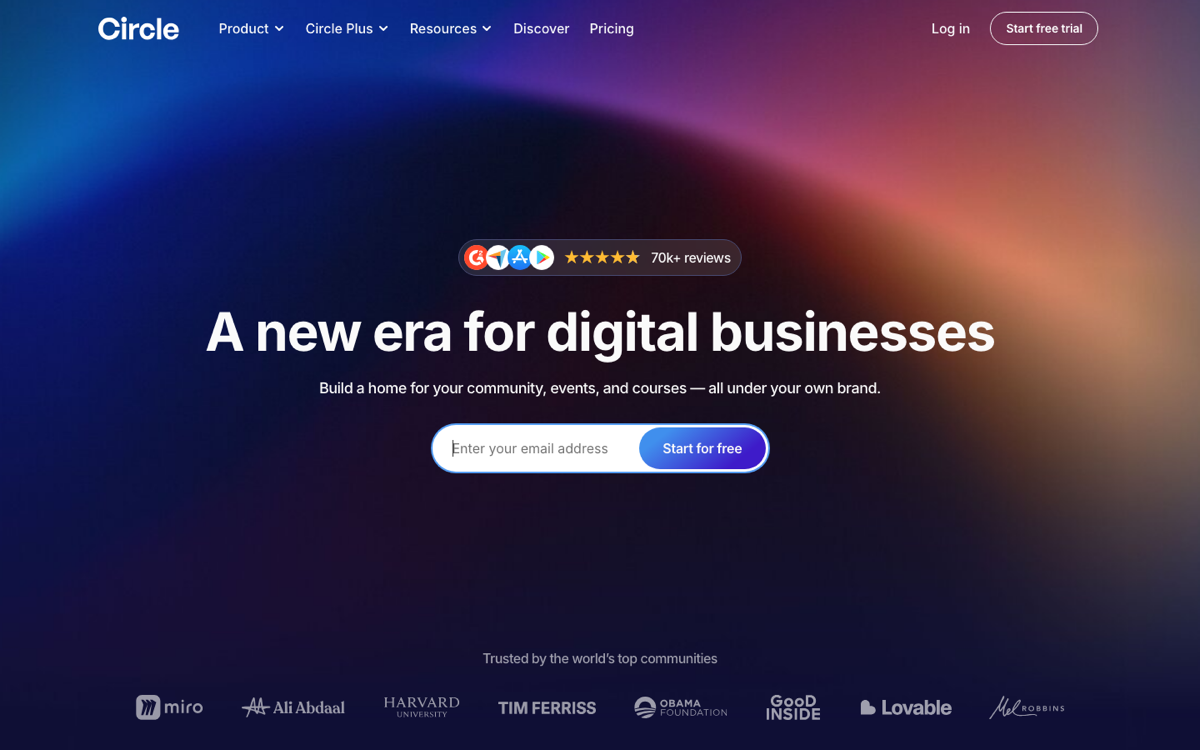
It's a weaker fit once you're a B2B SaaS company, though not for the reason these comparisons usually give. Circle advertises SOC 2 Certified, GDPR, CCPA, and PCI SAQ compliance in its own footer, so compliance is not the gap. The gaps are that custom single sign-on sits only on the custom-priced top tier, Circle's published integrations list no native HubSpot, Salesforce, Zendesk, or Intercom connection, and every plan carries a transaction fee on top of Stripe's own processing cut: 2% on Professional, 1% on Business, and 0.5% on Circle Plus, each stacked on Stripe's standard 2.9% plus $0.30. For a creator selling a $20/month membership, that's a rounding error. For a SaaS company running a support community at scale, it's a cost line that doesn't need to exist.
The Professional plan runs $89/month with 3 admins, 10 moderators, and 200GB of storage. The Business plan is $199/month with 5 admins, 15 moderators, and 500GB. Circle Plus is custom pricing with unlimited admins and moderators, 1TB of storage, and a dedicated CSM. There's no free plan, only a 14-day trial. Circle suits individual creators, coaches, and course sellers who want to move fast and don't need a CRM-native integration more than it suits a support or customer community. We went deeper on the numbers in a separate Circle review covering its pricing, fees, and add-on costs.
3. Skool: best for simple, single-plan course communities
Skool built its reputation on radical simplicity: one product, gamified levels, and a pricing page you can read in ten seconds. It's become the default choice for creators who want to create online courses with a community attached and skip Circle's tier sprawl.
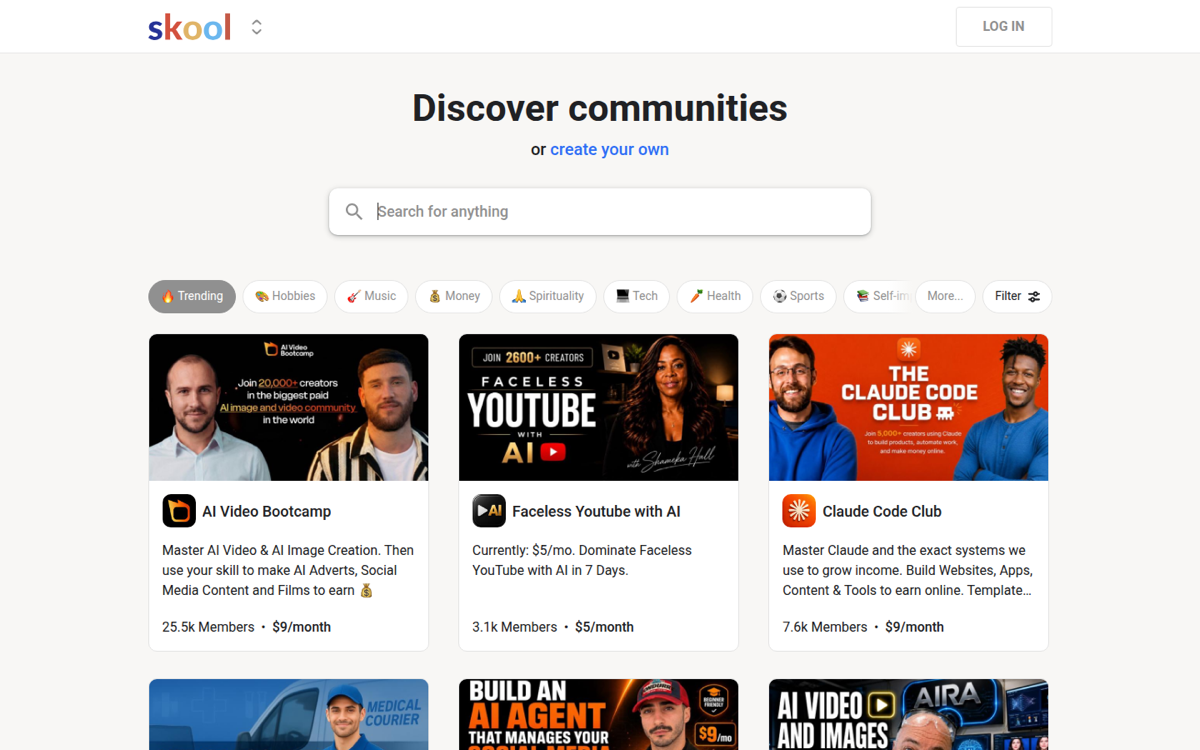
That simplicity is also its ceiling. Skool publishes no CRM integration and no public API for building custom workflows, because neither is what its audience needs. If your community exists to support paying B2B customers rather than sell a course, Skool doesn't give you much to build on.
The basic plan, Hobby, costs $9/month with a 10% transaction fee on paid memberships. Pro is $99/month and drops the fee to 2.9% plus $0.30 (3.9% plus $0.30 above $900 per transaction). Both include unlimited members, courses, videos, and live calls, plus a 14-day free trial. Skool is the right call for a solo creator running a paid course community who wants one plan, one price, and no configuration to think about.
4. Gainsight Community: best for existing Gainsight customers
Gainsight Community comes bundled with Gainsight's broader customer success suite, which is exactly its appeal if you already run Gainsight CSM: one vendor, one contract, and a community that plugs into workflows your CS team already uses.

The tradeoff shows up once you're actually running it. The community is a module inside a larger suite rather than the main product, and that tends to show in two places: how quickly the admin side responds when you are moderating and configuring daily, and how much of the member-facing interface you can actually change. In the migrations we run off it, those are the two reasons that come up, usually alongside an enterprise contract that kept climbing.
Pricing runs through a custom quote from your Gainsight account team, and expect enterprise-level contracts. It makes the most sense for companies already deep in the Gainsight ecosystem who value one vendor relationship over platform performance.
5. Discourse: best for open-source developer forums
Discourse is genuinely open source, and self-hosting it costs nothing but your own infrastructure and time. It's earned real trust in developer communities for exactly that reason, and plenty of well-known products ran their community on Discourse before outgrowing it.
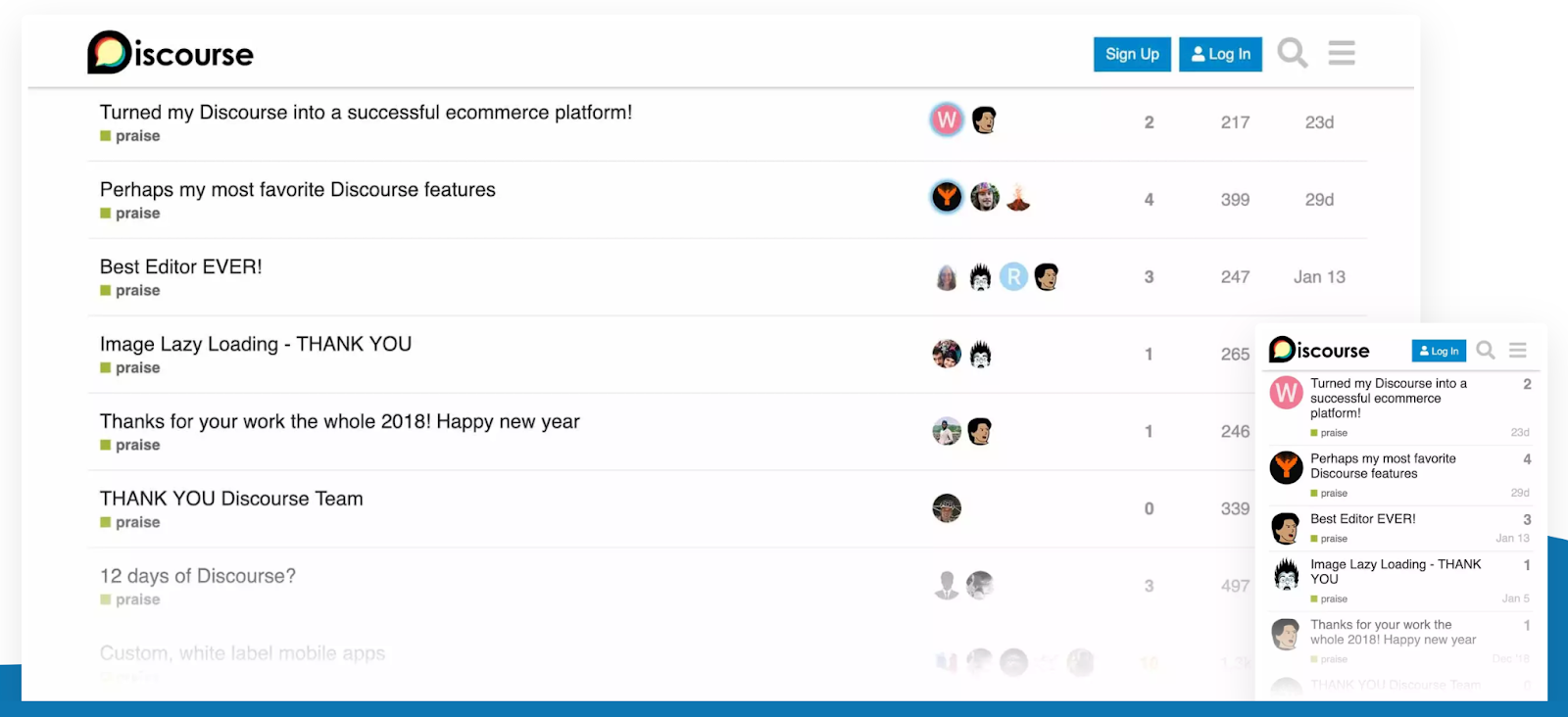
Teams outgrow it for the same core reason: the forum-style threading feels dated next to a modern product experience, and self-hosting means your team owns the uptime, moderation tooling, and upgrades. The two usual breaking points are wanting a single branded home rather than a generic forum, and needing compliance and analytics that the hosted tiers don't cover.
Discourse hosting has gotten meaningfully more expensive since we last checked it. A free community plan still exists to trial the product. Pro is now $100/month and Business is $500/month, both up from the $20 and $300 entry points Discourse used to advertise, and Enterprise is custom. Self-hosting remains free software, but "free" doesn't include the server, the security patching, or the person who owns both. It's the right pick for a developer-first product whose community is comfortable with forum UX and whose team wants to self-host.
6. Higher Logic Vanilla: best for accessibility-focused support communities
Higher Logic Vanilla (formerly just Vanilla Forums) targets customer support and success teams with a WCAG-accessible forum, a built-in knowledge base, and prebuilt analytics dashboards. It's a reasonable choice for mid-market companies where accessibility compliance is a hard requirement.
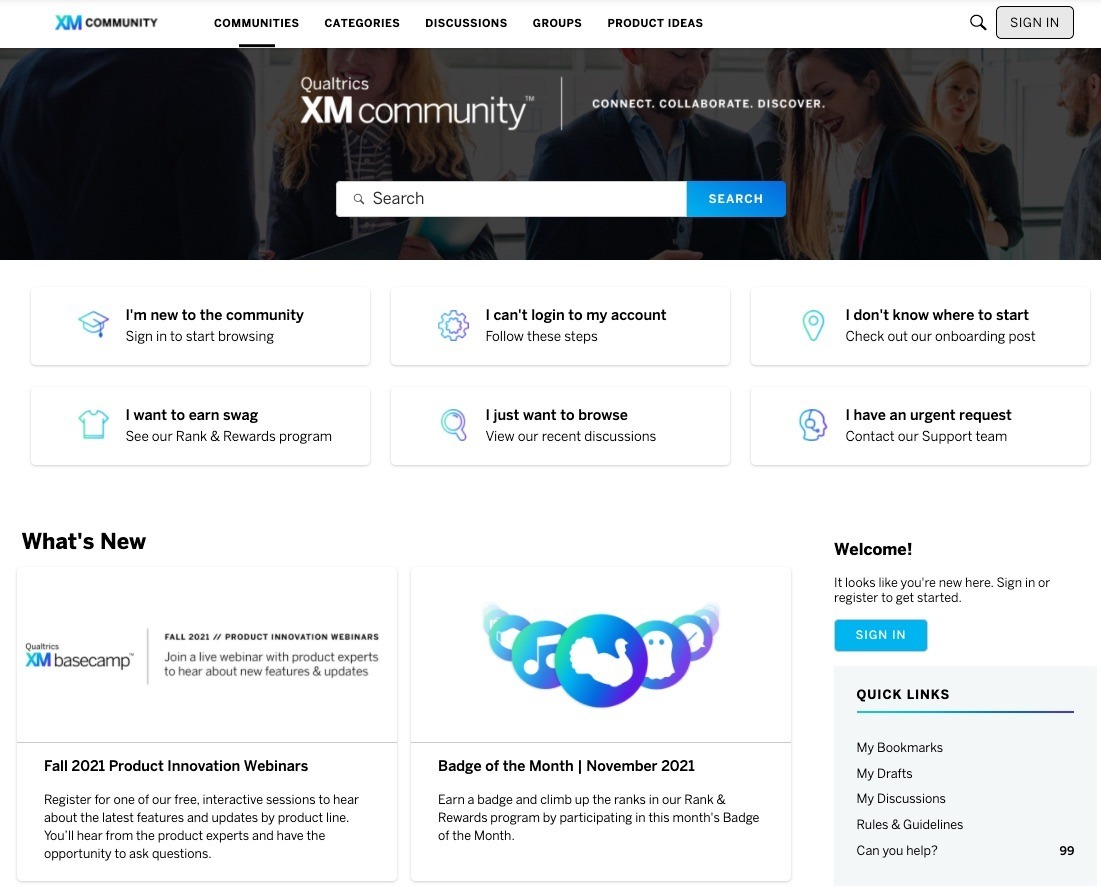
The complaint we hear from teams leaving Vanilla is consistent: a standalone platform that doesn't sit inside a modern stack, with a smaller API surface than a developer-heavy or technical-support community tends to need, and a feature set broader than most teams end up using.
Pricing comes through a custom quote, with no public pricing page. Vanilla fits mid-market support teams that need accessibility compliance out of the box and don't need deep API access.
7. Mighty Networks: best for creators monetizing courses and content
Mighty Networks is built for creators, coaches, and entrepreneurs running a paid membership around courses, content, or a podcast. Members get a content library, live streams, and Spaces organized around chat, feed, and events.
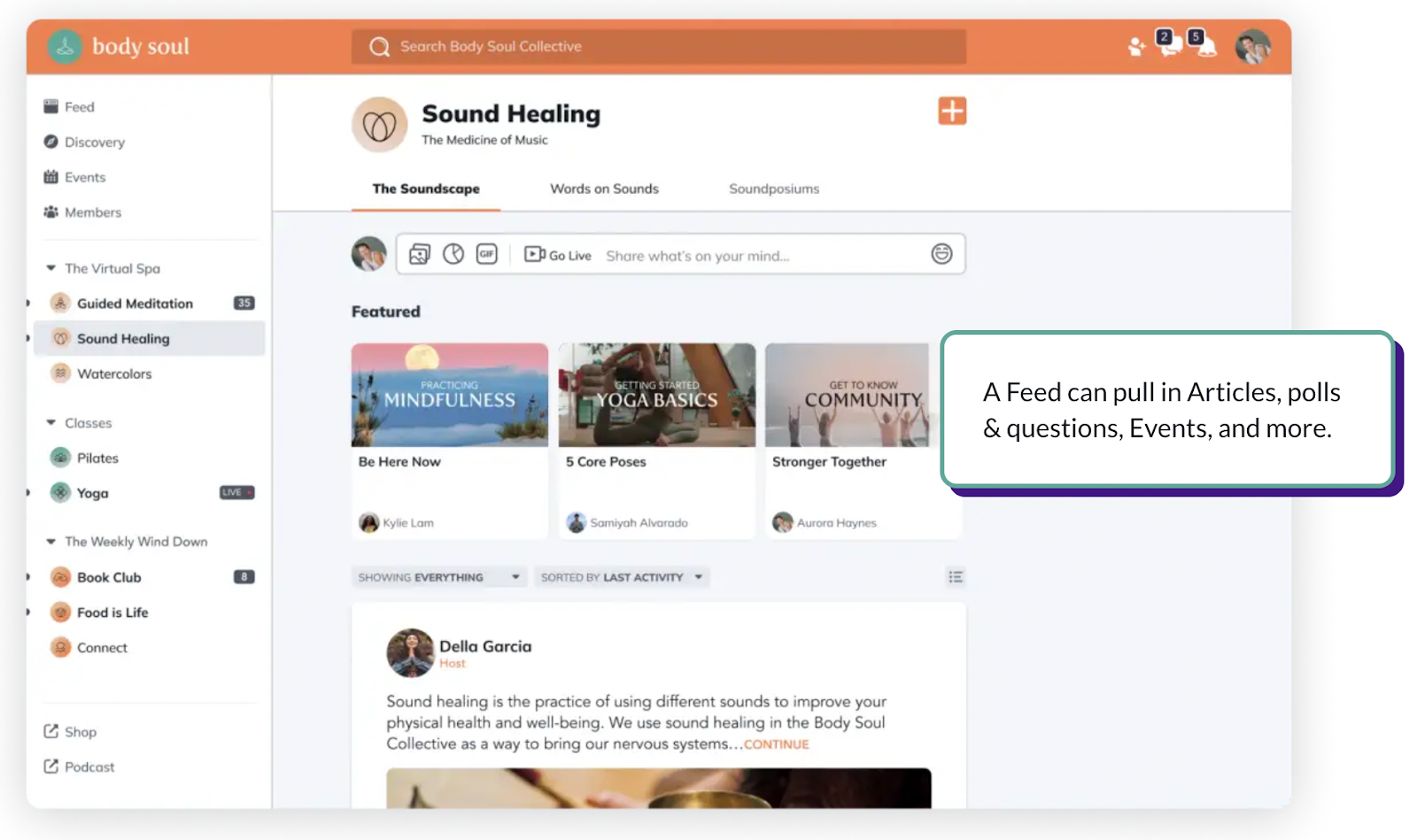
Like Circle and Skool, Mighty Networks is built for a one-person or small-team business monetizing an audience rather than a company running a customer support or product community. Compliance is not the dividing line here either: Mighty advertises SOC 2 Type II compliance and a trust portal. The dividing line is that it carries transaction fees of 2% to 0.5% depending on plan, and its integrations and API are built for creators rather than for a CRM. The pricing structure has also changed materially since our last check: Mighty Networks moved from a four-tier ladder ($41 to $360/month) to a simpler two-plan structure.
The basic plan, Launch, is $79/month with unlimited members and spaces plus basic automations. Scale is $179/month and adds more integrations, API access, and intermediate automations. Mighty Pro is custom pricing with branded apps and a dedicated strategy team. Mighty Networks suits creators and entrepreneurs monetizing courses or content who want more built-in commerce tooling than Circle or Skool offer.
8. Salesforce Experience Cloud: best for Salesforce-native organizations
Experience Cloud is Salesforce's own community and portal builder, running on top of whatever Salesforce org you already have. For a company fully committed to the Salesforce ecosystem, that native data connection is the whole pitch: case management, knowledge articles, and community activity all live in the same records your sales and support teams already work in.
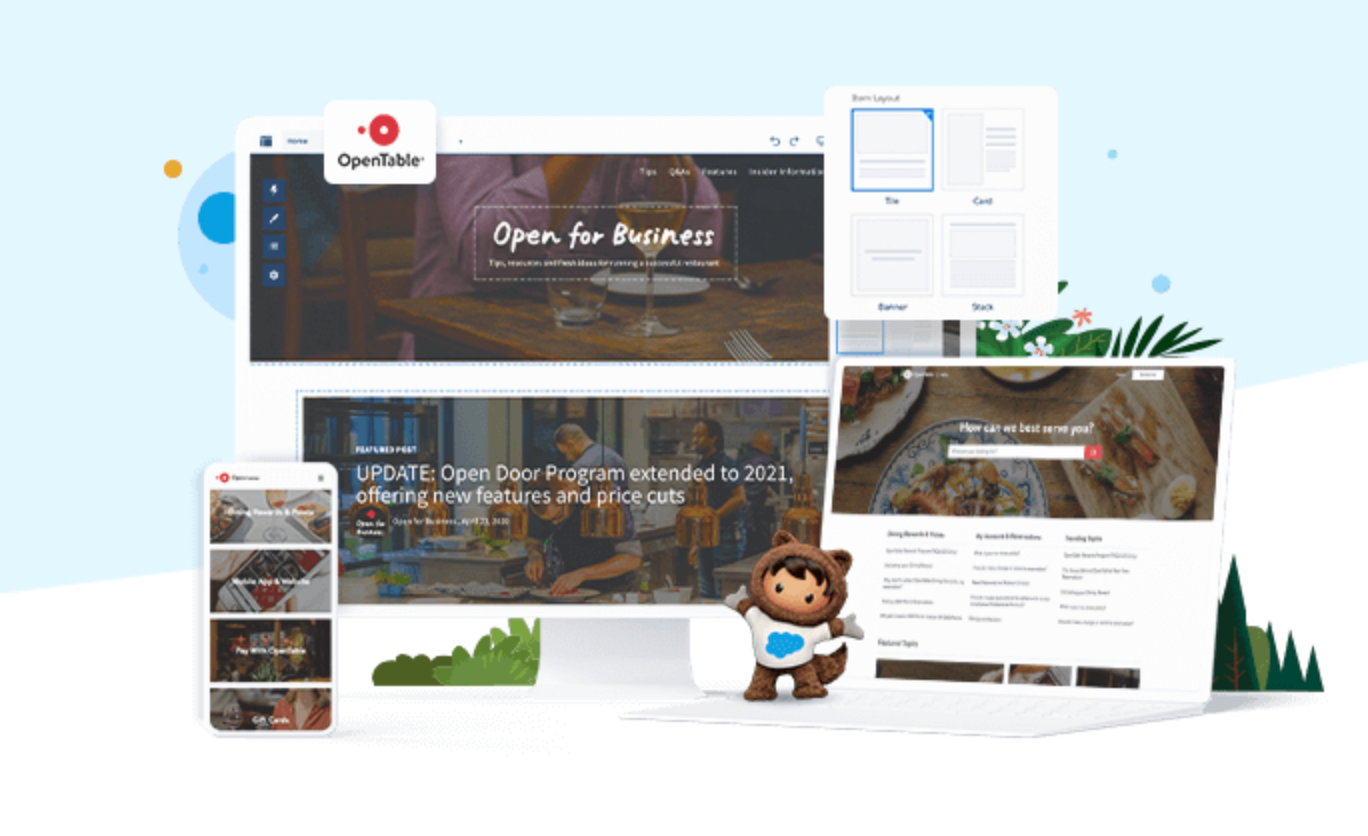
The cost of that convenience is Salesforce's own overhead: implementation typically needs a Salesforce admin or partner, licensing is bundled into your broader Salesforce spend rather than a standalone line item, and the templates read as a Salesforce product rather than your brand unless you invest in customizing them.
It's bundled into your Salesforce licensing, so getting an actual number means a conversation with your Salesforce account team. Experience Cloud makes sense for companies already running their support and sales motion on Salesforce who want community data in the same system, and have the admin resources to build it out.
9. Discord: best for informal, high-volume chat communities
Discord remains the default for gaming, creator, and hobbyist communities that want real-time voice and text channels at scale. It's free to join, fast to set up, and familiar to almost anyone under 40.
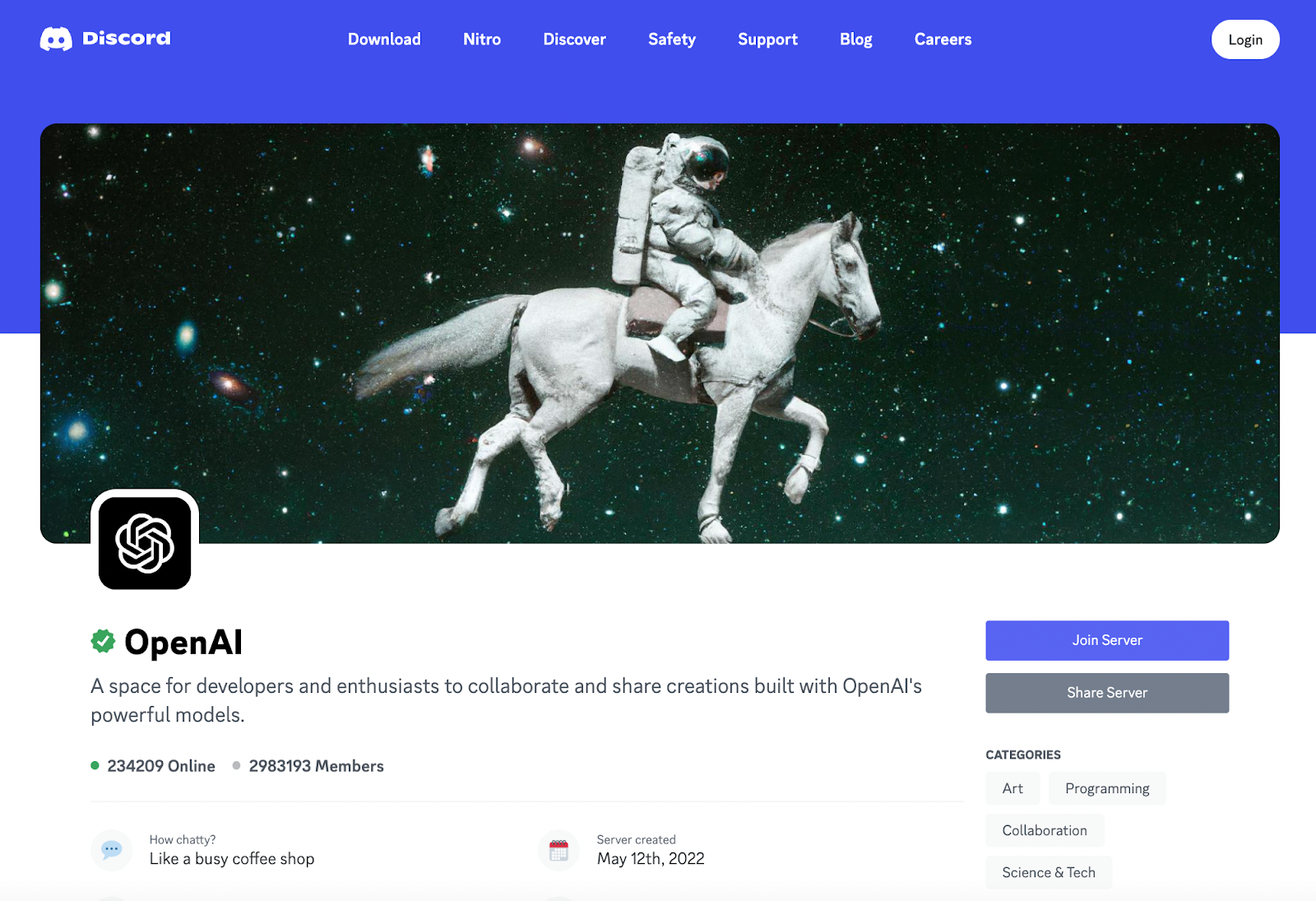
For a B2B customer or support community, that familiarity cuts the other way: Discord has no branding controls worth the name, no CRM integration, and chat-first channels that make it hard to find an answer six months after someone posted it, which is the opposite of what a self-service knowledge base is for. We covered this in more depth in our guide to Discord alternatives if that's the specific decision you're weighing.
Discord is free to join, and members can pay $2.99 to $9.99/month for Nitro perks; there's no separate organization or business tier. It's built for informal, chat-first communities where real-time conversation matters more than searchable, structured content, not for a support community trying to reduce ticket volume.
10. Facebook Groups: best for testing a community concept before you build one
Facebook Groups costs nothing and meets your audience where they already spend time, which makes it a genuinely reasonable place to test whether a community idea has legs before committing budget to a dedicated platform.
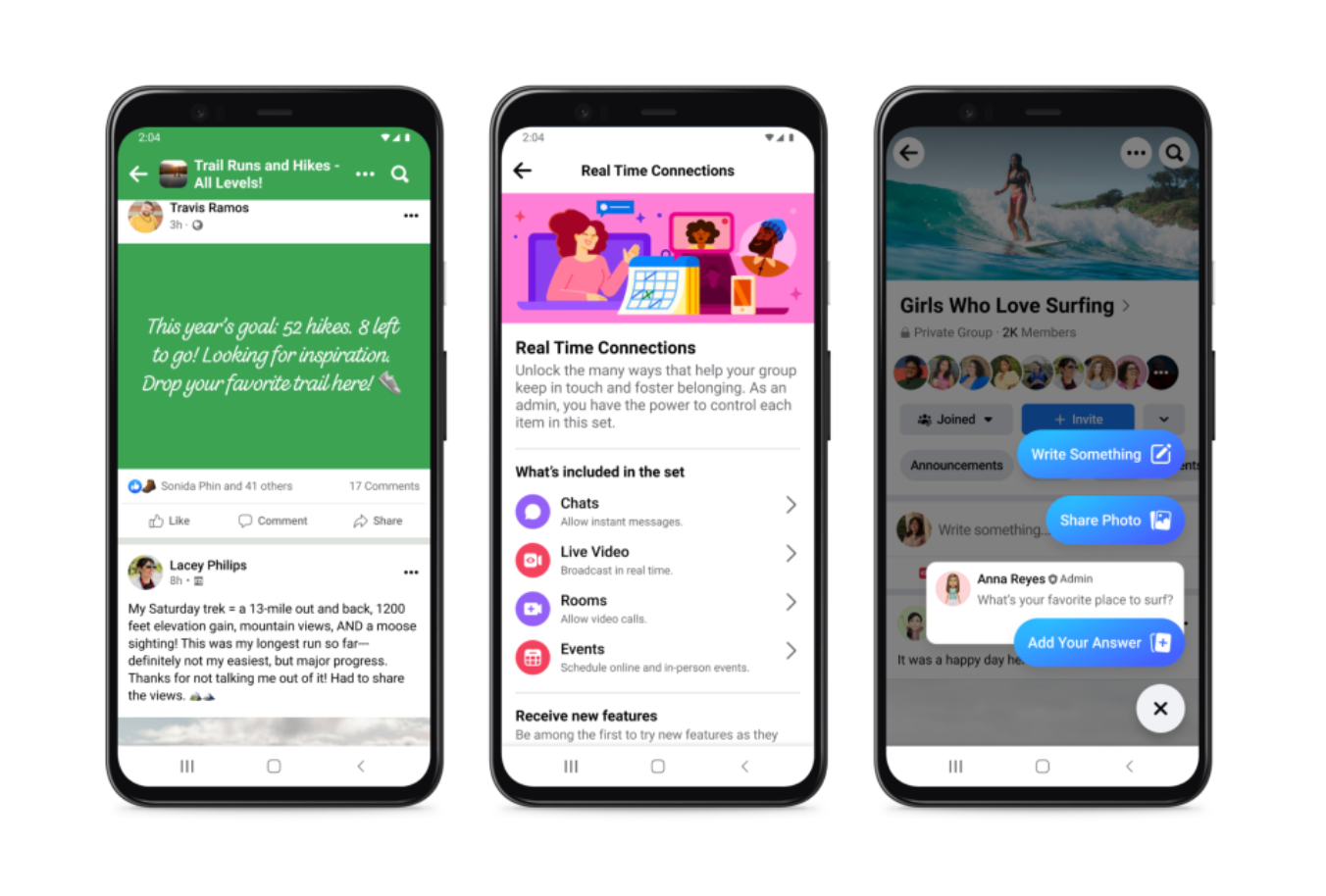
It stops being reasonable once the test works. There's no ownership of the data or the relationship, moderation tools are basic, and there's no way to connect activity to your CRM or prove ROI to anyone outside the group. It's free, and it's a fine place to validate demand before you invest in a purpose-built platform, not a place to run a support community long term.
11. Hivebrite: best for associations and alumni networks
Hivebrite serves associations, alumni groups, and nonprofits that need event management, a job board, and paid membership billing alongside the community itself. It functions as a communications hub as much as a discussion space, with email campaigns and notifications built in.
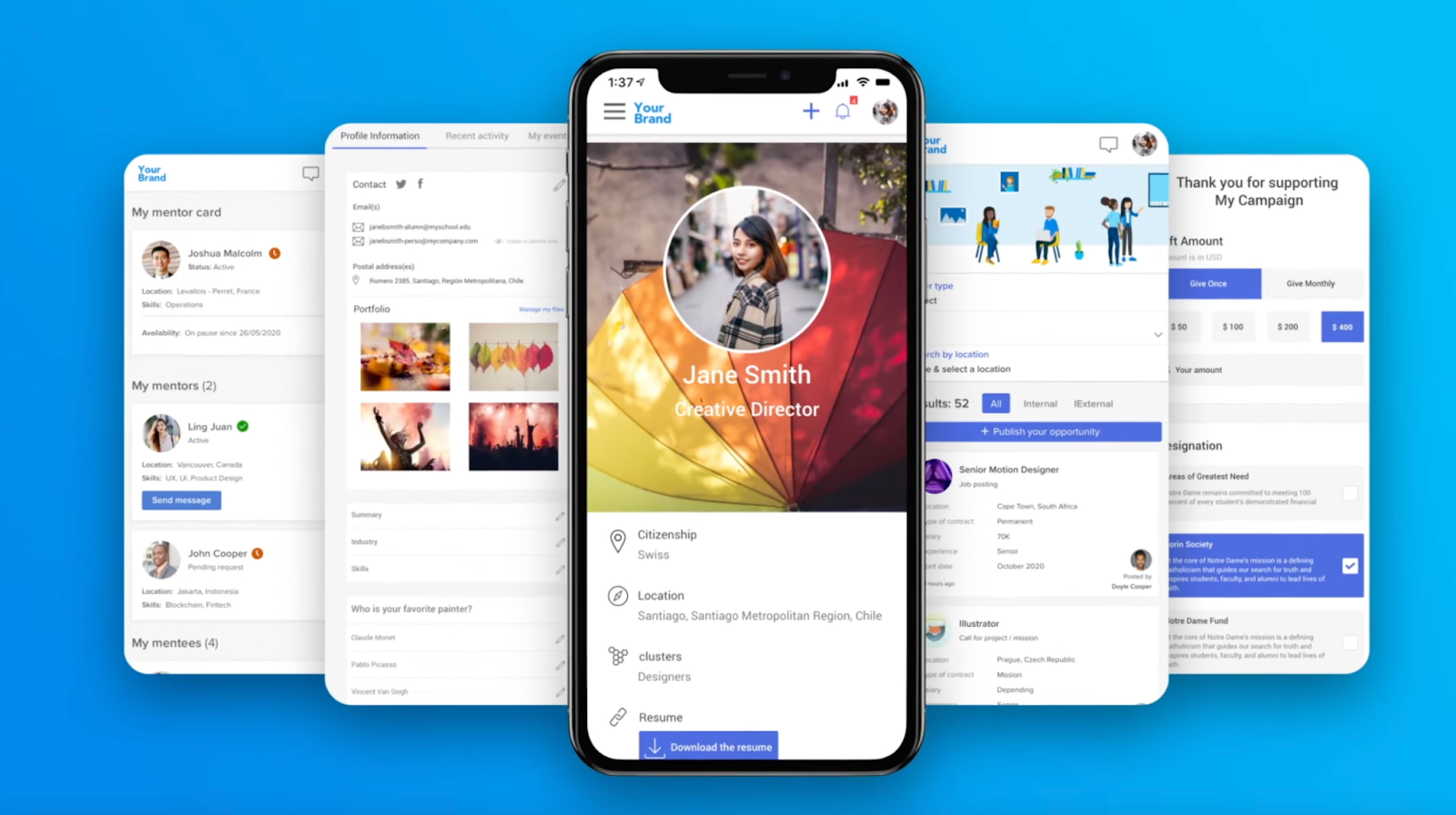
Pricing is custom, based on community size and feature needs, which makes it a better fit for membership organizations running events and dues alongside community discussion than for a B2B SaaS support use case.
12. Disciple Media: best for monetized content communities
Disciple targets organizations building a paid content or coaching business with native live streaming and an open API for integrations. As a video centric community platform it's a reasonable Circle alternative for teams that want more control over monetization mechanics.
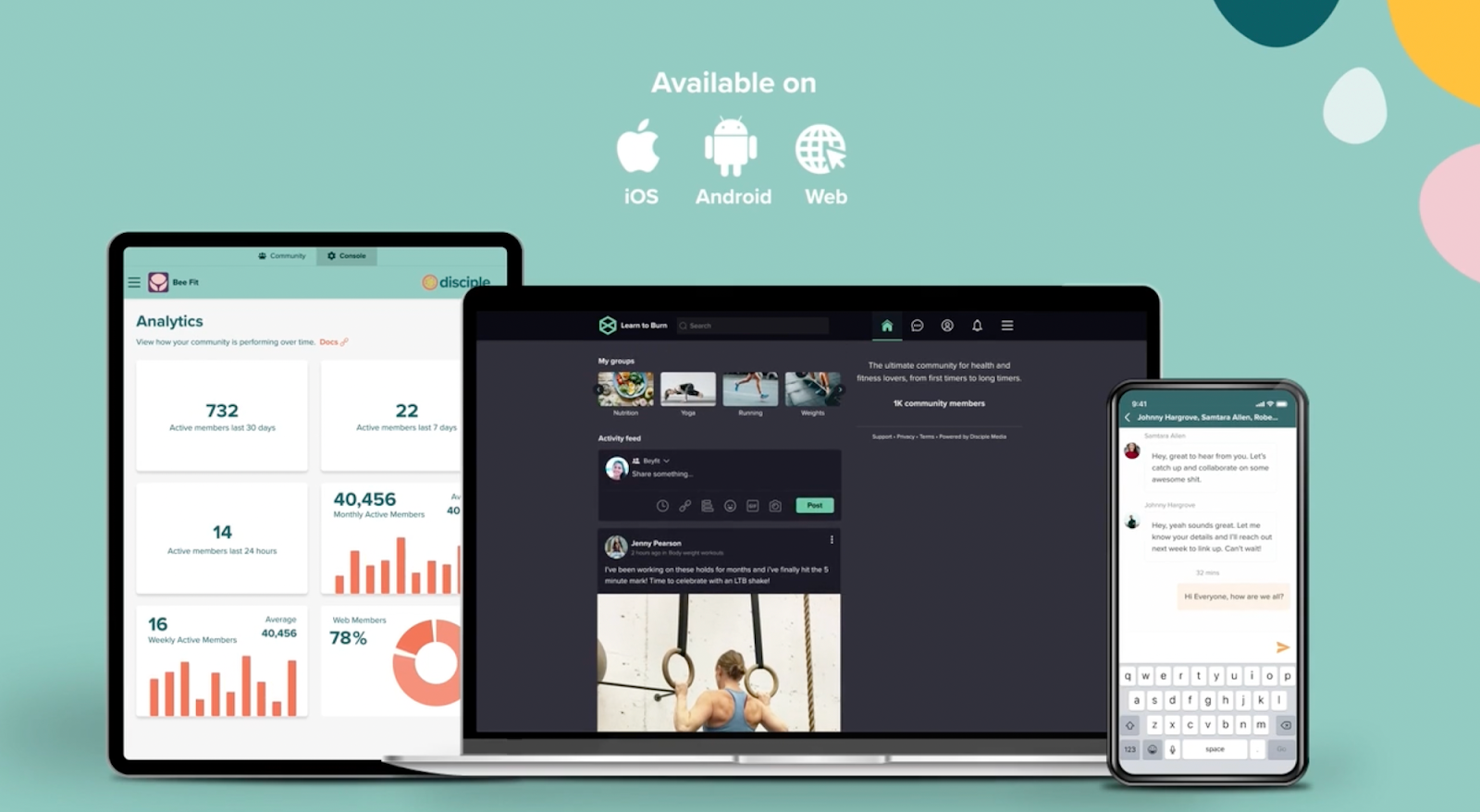
Disciple does not publish plan prices on its site, so budget for a sales conversation. It sits with the monetized content and coaching communities that want live streaming built in rather than with a customer support use case.
A note on Guild: older comparison lists, including some AI-generated ones, still recommend Guild, a mobile-first messaging platform for professional networking. We checked before publishing this, and Guild shut down on October 1, 2024. It's not a live option, and it shouldn't appear on a list dated 2026.
13. GroupApp: best for cohort-based courses and coaching programs
GroupApp bundles course delivery and discussion into one place, with a community channel attached to each lesson so questions stay next to the material that prompted them. Cohort tooling does the rest: sequential content release, per member progress tracking, quizzes, assignments, and completion certificates on every plan. If your community mostly exists to get people through a curriculum, that structure is the whole point.
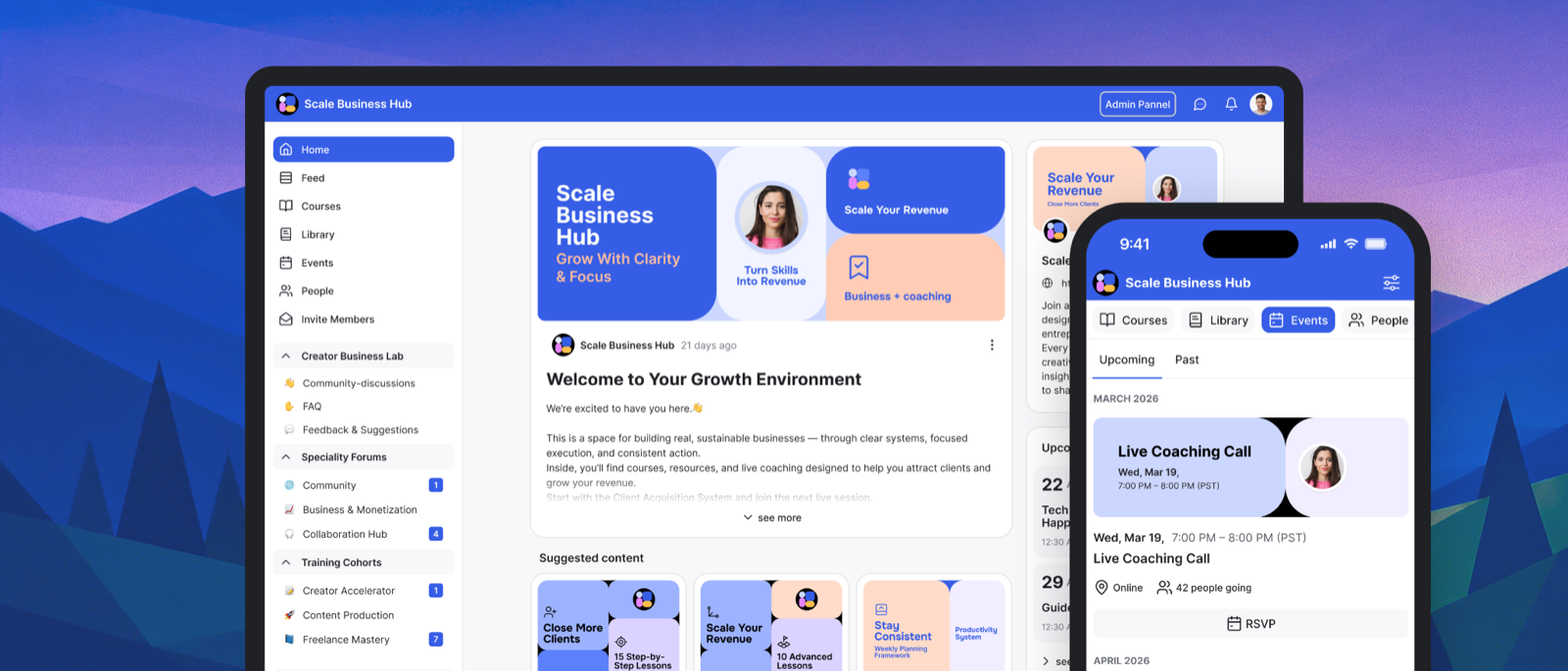
Pricing starts at $18/month billed yearly ($24 monthly) for 200 members and runs to $288/month for 20,000. Transaction fees are 0% on all four plans, which is rare at this end of the market and matters if you sell memberships. Single sign-on lands on the $108 Scale plan.
The fit here is training and coaching, not customer support. GroupApp publishes no native CRM or help desk integrations, so community activity won't reach HubSpot or Zendesk on its own, and a B2B SaaS team running a support hub will hit that limit early. For a certification track or a paid cohort program, it does the job it was built for.
Which community platform fits your team?
Pulling the list together, the choice of online community platform comes down to which business you're actually in. Running a B2B SaaS customer or support community with CRM data on the line points toward Bettermode. Selling a course or paid membership as a solo creator, where speed matters more than compliance, points toward Skool if you want one simple plan or Circle if you want more built-in monetization tooling and don't mind the transaction fees. Already deep in Gainsight or Salesforce and don't want another vendor relationship? Gainsight Community or Experience Cloud can work, with eyes open about cost and customization tradeoffs. Building a developer-first product and comfortable self-hosting leans toward Discourse. And if you're just testing whether a community idea has an audience at all, Facebook Groups or Discord cost nothing to try before you move to a dedicated platform once it's working.
One caveat worth naming before you buy anything on this list: some teams shopping for community software really need a private workspace for individual clients rather than a room where customers talk to each other. If that is closer to your situation, a secure client portal like Clinked is a different category built for exactly that, keeping files, tasks, and client updates in one place per account. The two get shopped together and solve different problems.
Whichever way you go, the platform is the easier half. No software builds a thriving community on its own. The work around it, the moderation, the seeding, the rituals that give people a reason to come back, is what separates a thriving online community from an empty shell. Community builders who have done this before budget as much time for community building as they do for the platform decision, and we wrote a separate guide on how to grow a successful online community for that side of it.
What community management software has to handle after launch
Most of this guide is about choosing. The rest of the job is running the thing, which is usually where the phrase community management software comes from: the same category, judged on the day to day instead of the demo. Four questions decide whether the software you picked is pleasant to operate a year in, and none of them show up on a feature grid.
Spam is the first surprise. Any community that lets people register freely and puts member profiles on an indexable URL becomes a target, and the volume tends to arrive well before your first real conversation does. So ask what you get for it: registration approval or domain allowlists, a moderation queue that holds posts before they publish rather than after, bulk actions so you can clear a whole spam cohort in one pass, and control over whether member profiles are indexable at all. A tool that expects you to moderate one item at a time is fine at fifty members and unworkable at five thousand.
Then there's the question of who does the work, which in year one is rarely a dedicated team, so the software has to let a support agent moderate their own space without handing them the keys to the whole network. Look at how granular the roles get, whether permissions attach to a single space or only network wide, and what escalation looks like when a thread needs a product owner rather than a moderator. If every exception needs an admin, the admin becomes the bottleneck, and your community manager spends the week clearing queues instead of talking to members.
The reporting question is narrower than it looks. Most platforms will show you posts, active members, and a trend line, which tells you whether activity moved. It won't tell you whether the community is worth funding. The number you will eventually be asked for is whether members renew at a different rate than everyone else, and that is only answerable if member activity lands in your CRM against a company record. Check that the integration writes to the objects your team already reports on, rather than settling for the fact that a Zapier connector exists.
Last, the unglamorous one. Ask what an export actually produces, whether it carries members and their permissions or only posts, and whether URLs can be preserved if you ever move. Communities accumulate years of answers that rank in search, and losing those URLs in a migration costs more than the subscription ever did.
What a customer community actually changes
Worth being specific about the mechanisms, because "community drives retention" on its own is not an argument anyone should buy.
Support deflection is a search problem, not a posting problem. A community reduces ticket volume when a customer with a question finds an existing answer, which means the value sits in the archive rather than in today's activity. That is why the knowledge base and the search matter more than the feed, and why chat-first tools struggle at it no matter how busy they look.
Retention shows up as a signal before it shows up as revenue. Community members who post, answer, or attend are telling you something your product analytics can't: that they are invested enough to spend their own time. Wire that to your CRM and it becomes an input to renewal forecasting. Leave it unwired and it stays a vanity metric.
Product feedback gets cheaper and more honest. An ideation space where customers vote on each other's requests surfaces priority ranked by the people who pay you, rather than by whoever emailed your account manager most recently.
Advocacy compounds slowly and then not slowly. The members who answer other people's questions become references, case studies, and the reason a prospect trusts you in a competitive deal. This is the slowest of the four and usually the most valuable.
None of these happen because you bought a platform. They happen when someone owns the programming, and the platform decides how much friction sits in the way.
Community platform FAQ
What is the best community platform for a B2B SaaS company?
Bettermode is built specifically for this job: native CRM integrations with HubSpot, Salesforce, and Zendesk, a no-code Design Studio for on-brand design, SOC 2 Type II certification, and analytics that connect community activity to retention and support deflection.
What is a community platform?
Software for building and running an online community: discussion boards, Q&A, events, a knowledge base, and member profiles, usually connected to the tools a business already runs like a CRM or help desk. Some people call it community software or online community software; it's the same category.
What is a community management platform?
The same category viewed from the operator's chair. It's what community owners actually work in day to day: moderation queues, member management, roles and permissions, and analytics on member engagement. Vendors use the two names interchangeably, so compare features rather than labels.
Is Circle or Bettermode better for a B2B customer community?
Circle is built for creators and course sellers. Both are SOC 2 certified, so that is not the tiebreaker. What differs is that Circle puts custom SSO on its top custom-priced tier, publishes no native CRM or help desk integrations, and charges a transaction fee on sales, while Bettermode includes SSO on every plan, integrates natively with HubSpot, Salesforce, Zendesk, and Intercom, and takes no cut of transactions. Several companies that evaluated Circle first chose Bettermode for exactly these reasons.
What is the best free community platform?
Discord and Facebook Groups are the real free options, and both are reasonable for testing whether a community has an audience. Neither offers CRM integration, branding control, or the moderation and analytics tooling a professional B2B community needs once it's proven out. Bettermode offers a 14-day free trial to evaluate the platform itself.
How much does an online community platform cost in 2026?
It ranges from free (Discord, Facebook Groups, self-hosted Discourse) to several thousand dollars a month on an enterprise plan. Creator tools like Skool ($9 to $99/month) and Circle ($89 to $199/month) sit at the low end but add transaction fees on paid memberships. B2B platforms built for CRM integration and compliance, like Bettermode (from $149/month billed yearly, $199 monthly) and Gainsight Community (custom, typically well past $60,000 a year for larger deployments), sit higher, without the per-transaction cut.
What are the key features of online community software?
Community spaces you can structure yourself, a searchable knowledge base, member profiles and permissions, engagement tools like badges and leaderboards, events, private messaging, branding on your own domain, and integrations with your CRM and help desk. For a B2B buyer, enterprise security sits alongside those key features rather than below them.
What features matter most for a B2B SaaS customer community?
Native CRM integrations to connect community activity to retention and revenue, analytics that prove ROI, enterprise security like SOC 2 and SSO, branding and customization control, and moderation tools built for a professional audience rather than a hobbyist one.
Are private online community platforms different from public ones?
The software is usually the same; the configuration isn't. Private online community platforms gate registration, hide content from search engines, and lean harder on SSO so only customers or employees get in. We go deeper on the tradeoffs in our guide to private online community platforms.
Do I need a community manager to run a community platform?
Not on day one, and not full time for a small community. What you do need is a named owner with time actually protected for it, because the work never stops being work: welcoming new members, answering the questions nobody else picked up, keeping the archive tidy so search keeps working, and noticing when a thread needs a product owner. Teams that hand it to whoever looks least busy tend to end up with an empty space and a subscription. Once a community carries real support volume, a dedicated community manager usually earns its keep through deflected tickets, though that is worth measuring rather than assuming.
What is a white label community platform?
White label means the community runs on your own domain with your branding, so members see your product rather than the software behind it. Bettermode runs white label with a custom domain and full design control, so the community reads as part of your product from day one.
Do I need a community website builder or a community platform?
General website builders like Wix and Webflow are built for pages. The moment you need member accounts, permissions, discussions, and moderation, you want a community platform, because the community is the website. A community platform closes that gap by shipping the site and the member system as one thing.
What is the best forum software?
For a standalone forum, Discourse and Higher Logic Vanilla are the two names that keep coming up, and both are reviewed above. Most teams asking this actually want a forum inside a broader community space, with Q&A, events, and a knowledge base around it. We cover building a community forum and adding a forum to your website if that is the real job.
What is a community engagement platform?
The same category wearing a different label. Vendors say engagement platform when they want to emphasize the mechanics that keep members active: gamification, events, email digests, badges. Every platform in this list qualifies. The difference is whether those mechanics are native or bolted on, so if a vendor pitches engagement as an add-on module, ask what the base product does without it.
TL;DR
- A community platform, also sold as online community software, is software for running a branded online community: discussions, Q&A, a knowledge base, and events, tied into the tools a business already runs.
- "Community platform" now splits into two real markets: creator and course tools (Circle, Skool, Mighty Networks) and B2B platforms built for CRM integration and compliance (Bettermode, Gainsight Community, Salesforce Experience Cloud). Most lists blur them together.
- The key features that decide the outcome are community spaces, a searchable knowledge base, member roles and permissions, engagement tools, events, direct messages, branding, and CRM integrations. Most community platforms do some of these well, and none do all of them.
- Circle and Skool are strong for solo creators, but both stack transaction fees on paid memberships, and Circle reserves custom SSO for its top custom-priced tier. Circle is SOC 2 certified, so compliance is not the differentiator some comparisons claim.
- Discourse pricing changed materially in 2026 (Pro now $100/month, Business $500/month, up from $20/$300), and Mighty Networks moved from four pricing tiers to two ($79 and $179/month). Check current pricing before comparing against old numbers.
- Guild, sometimes still recommended by older or AI-generated lists, shut down on October 1, 2024, and isn't a live option.
- For a B2B SaaS company running a customer or support community, Bettermode's native CRM integrations, SOC 2 Type II certification, and no per-transaction fees are built for that job specifically; several companies chose it after evaluating Circle first.
- Community management software and community platform describe the same category, so compare features rather than labels. What separates them in daily use is spam and moderation tooling, how granular roles and permissions get, whether member activity reaches your CRM, and what an export gives you if you ever move.